
 Lokstack
If you want PostgreSQL or MySQL on your Mac without Docker, two names come up: DBngin and Lokstack. They overlap on one thing, running database servers natively, but they are built for different jobs. Here is a fair comparison.
What DBngin is#
DBngin is a free database version manager from the TablePlus team. It does one thing and does it well: it starts database servers natively on your Mac, with no Docker and no virtual machine.
- One click to create and start a server.
- Several versions and ports side by side, for example PostgreSQL 15 on 5432 and PostgreSQL 17 on 5433.
- Supports PostgreSQL, MySQL, MariaDB, Redis and more.
- 100% free, with no paid tier.
- Runs on macOS 10.13 and newer (Apple Silicon and Intel), and there is a Windows version.
It pairs naturally with TablePlus, the same team's database client, for browsing and editing data.
What Lokstack is#
Lokstack is a Mac app that shows everything running for your local projects in one window: dev servers, ports, Docker containers, databases, packages, Git and the Node or PHP version each project uses. Databases are one part of that picture, not the whole app.
On the database side, Lokstack:
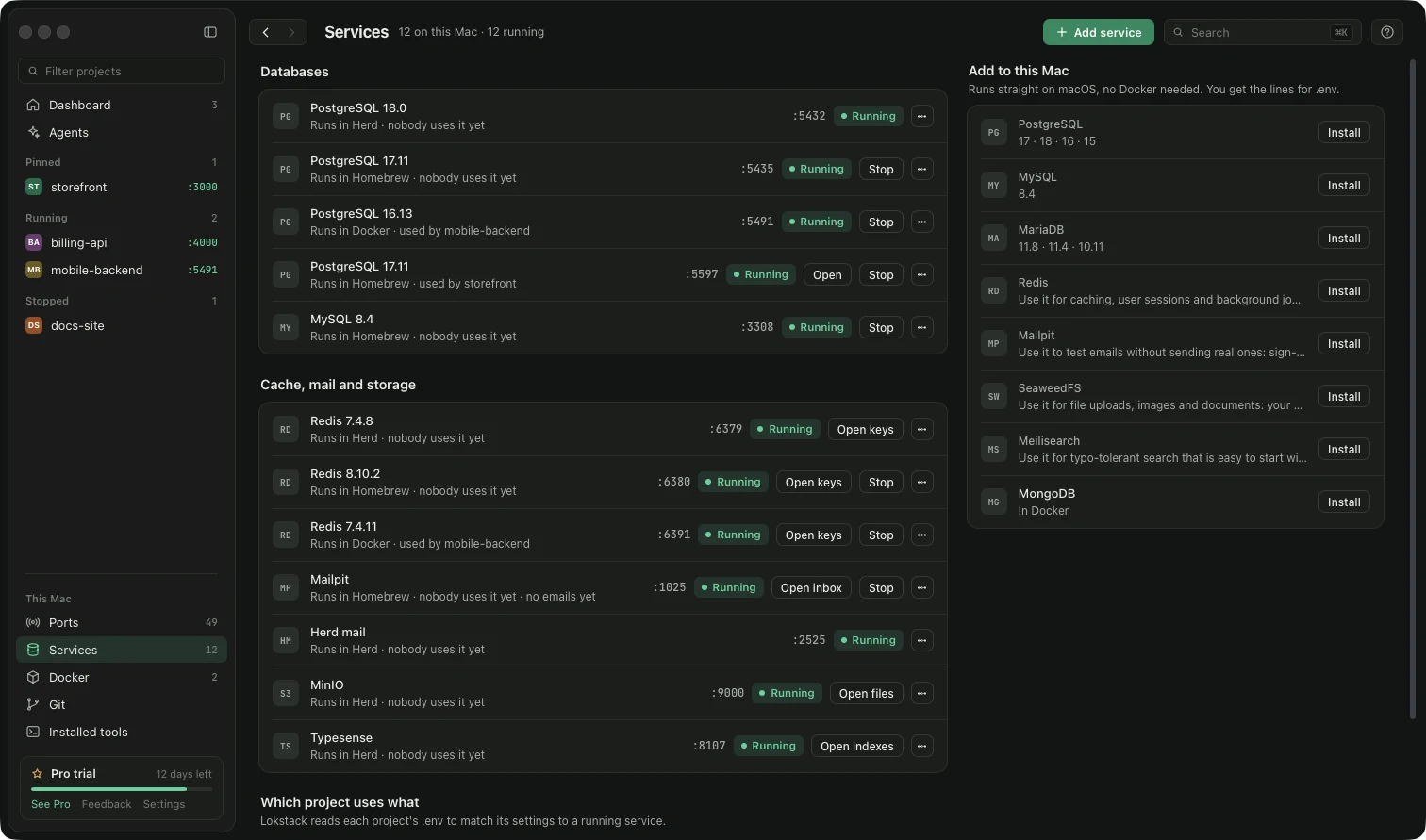
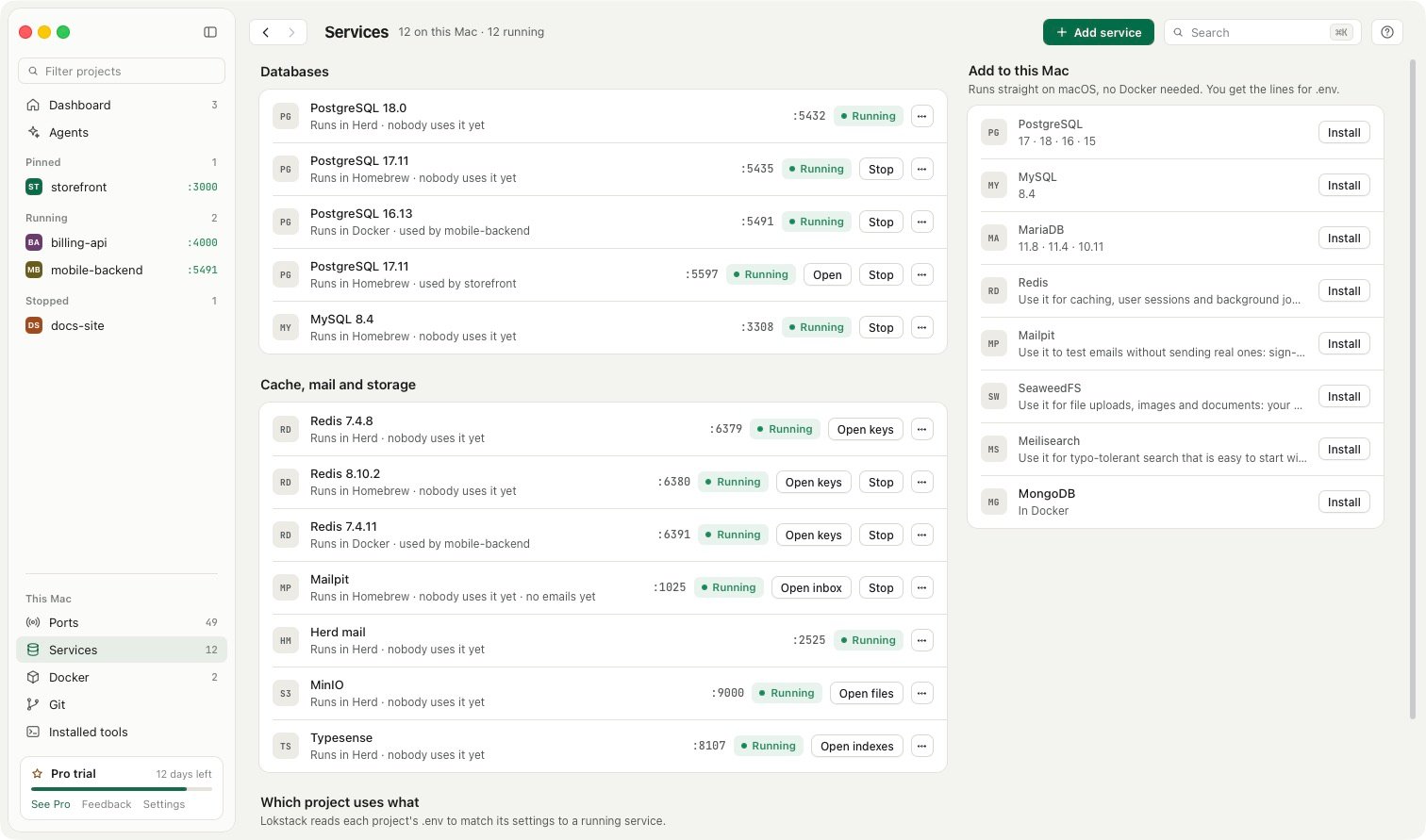
- Installs services without Docker. Click Install next to PostgreSQL, MySQL, Mailpit and others. Lokstack uses Homebrew (and offers to install Homebrew if it is missing), then shows the lines to copy into your project's
.env. - Connects projects to databases. It reads each project's
.envto find the database it uses and checks that it is running. When Docker, Herd and Homebrew could each be running a Postgres, it shows which one answers on which port and what each project connects to. - Explains connection errors. If a project fails with
ECONNREFUSED :5432, Why it will not start says the database is not running and puts the fix beside it. - Shows what is inside. See PostgreSQL and MySQL tables, columns and row counts in the free version. Pro adds opening rows, search, filter and export, and adding, editing and deleting rows.
- Copies databases for AI agents. With Pro, lanes (in beta) give each AI coding agent its own copy of the project's database, along with its own branch and port.
Pricing: the free version includes two services without Docker (PostgreSQL, MySQL or Mailpit) and one database in Docker. Pro is $79.99 a year, with 50% off the first year ($39.99, applied for you when you press Buy Pro), for one person on up to 3 Macs, with a 14-day trial and no card. Pro adds unlimited databases and services, plus MariaDB, Redis, SeaweedFS and Meilisearch without Docker. Lokstack is Mac only (macOS 13 or newer).
Side by side#
| Feature | DBngin | Lokstack |
|---|---|---|
| Runs databases without Docker | Yes | Yes, installed with Homebrew |
| Database types | PostgreSQL, MySQL, MariaDB, Redis and more | Free: PostgreSQL, MySQL, Mailpit; Pro adds MariaDB, Redis, SeaweedFS, Meilisearch |
| How many | Unlimited, free | 2 free without Docker (plus 1 in Docker); unlimited with Pro |
| Knows which project uses which database | No | Yes, from each project's .env |
| Explains why a project cannot connect | No | Yes |
| See tables and rows | Use TablePlus | Tables free (view only); rows and editing with Pro |
| Database copy per AI agent | No | Lanes (Pro, beta) |
| Ports, dev servers, Docker, Git | No | Yes |
| Platforms | macOS 10.13+ and Windows | macOS 13+ only |
| Cost | Free | Free; Pro $79.99 a year ($39.99 the first year) |
Where DBngin is better#
If all you need is database servers, DBngin is hard to beat. It is completely free with no limits, it is focused, and running several versions of the same database side by side on different ports is its core feature. It supports older macOS versions than Lokstack does, and it has a Windows version. With TablePlus next to it, you have a strong, simple database setup.
Where Lokstack is better#
Lokstack is better when the database is only part of the problem. A project that will not start might have a stopped database, but it might also have the wrong Node version, missing packages or a port held by an old dev server. Lokstack sees all of those together and tells you which one it is. It also knows which project talks to which database, which helps when you have Postgres from Docker, Homebrew and Herd on the same Mac and are not sure which one your app is hitting. And if you run AI coding agents, lanes give each one its own database copy so one agent's migration cannot break another's work.
Using both together#
You can keep DBngin for your database servers and use Lokstack for the rest. A database DBngin starts still shows up on Lokstack's Ports page like any other listening program, so you can see what is on 5432 or 3306 at a glance. If you later want Lokstack to manage services too, you can add them from its Services page.