
 Lokstack
MAMP has been the easy way to run PHP sites on a Mac for many years, and MAMP PRO is its paid version. Lokstack is newer and built for a different job. If your work is PHP and WordPress sites, MAMP PRO may be all you need. If your Mac runs a mix of Node apps, databases, containers and AI agents, that is where Lokstack fits.
What MAMP and MAMP PRO are#
MAMP is a free local server environment with Apache, Nginx, PHP and MySQL, made by MAMP GmbH in Germany. MAMP PRO is the paid front end on top of it:
- Apache or Nginx, chosen per site, with its own hostname and automatic SSL certificates.
- PHP per site, from PHP 7 to PHP 8.
- MySQL 8 and MySQL 5.7.
- Extras: Mailhog for test email, Composer, Blueprints for new sites, snapshots, a built-in editor and an iOS app for previewing sites.
- AI: an MCP server that connects MAMP PRO to Claude, which can then read and edit project files, run SQL and use WP-CLI.
Pricing: MAMP is free. MAMP PRO is a lifetime licence with one year of updates included, then an optional yearly update renewal. It was US$99 plus VAT when we checked; see mamp.info for the price in your country. One person can install it on 3 computers and run one at a time. There is a 14-day trial with every feature, and refunds within 14 days of purchase.
What Lokstack is#
Lokstack is a Mac app that shows everything running for each of your projects, whatever it is built with and however it was started. It does not serve your sites. It reads your existing setup, including MAMP's.
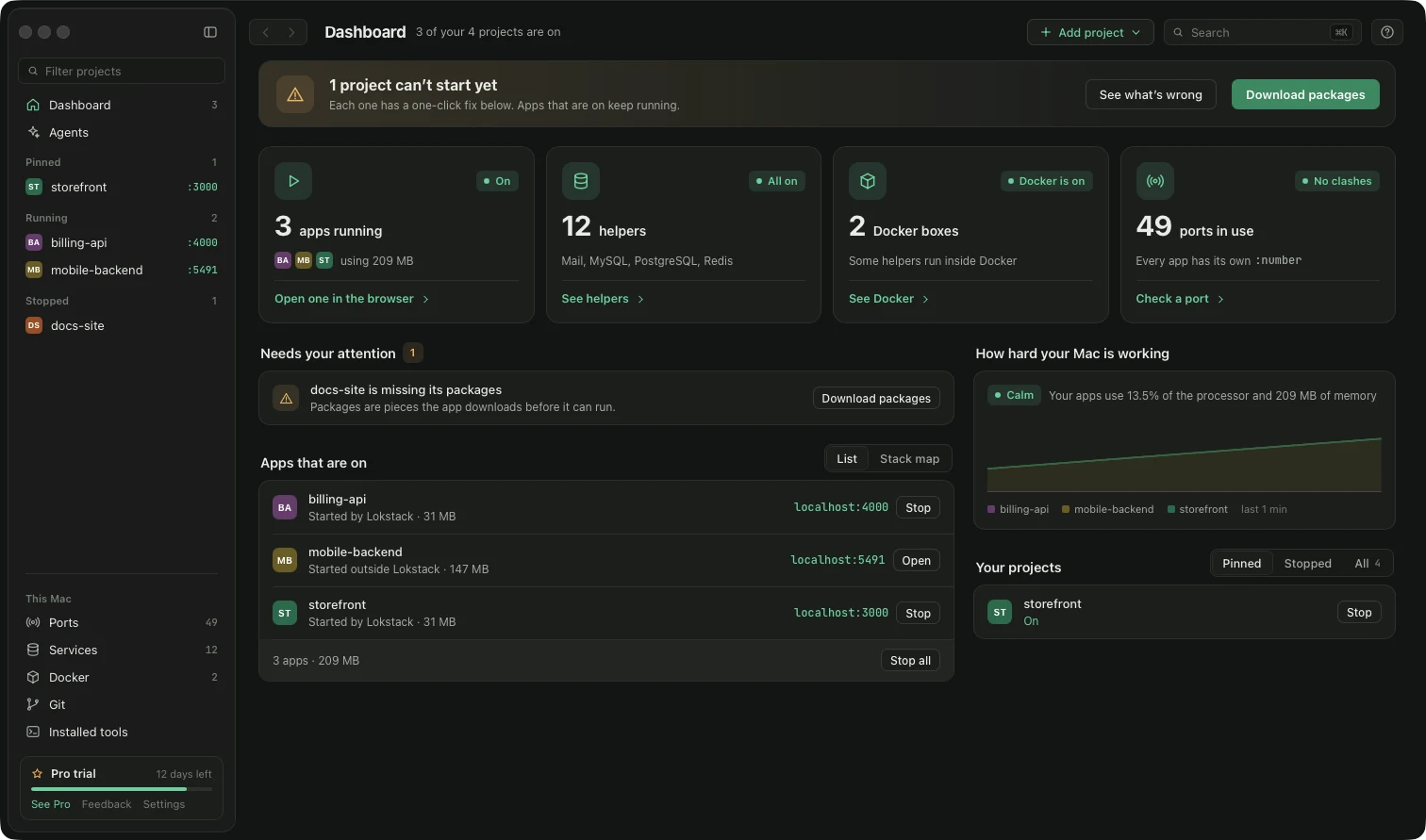
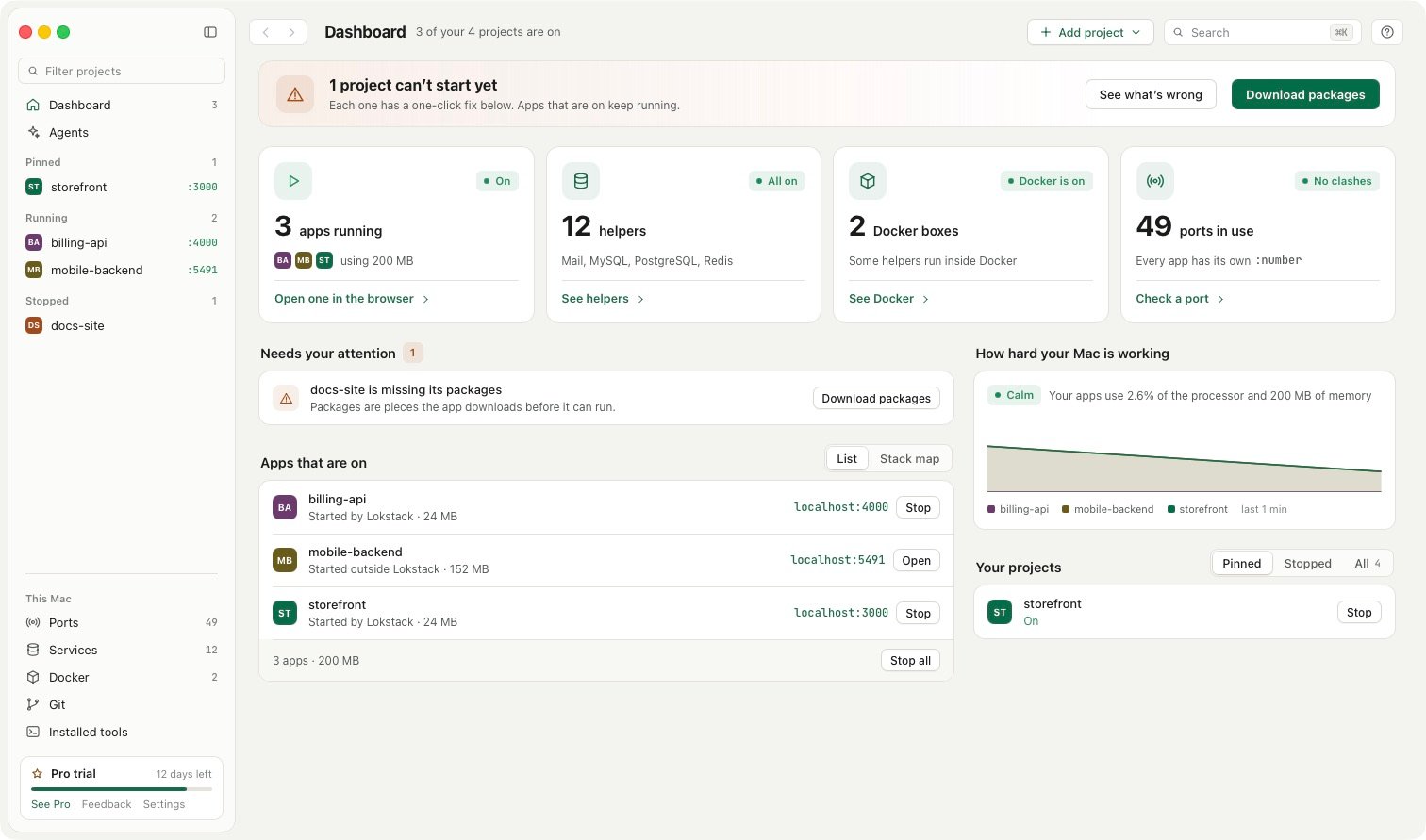
- Ports lists every listening port on the Mac with its program and project, with Stop and Force.
- Why it will not start checks the port, the Node or PHP version, packages,
.envsettings and the database, and puts the fix next to the reason. - Installed tools shows every Node.js and PHP version on the Mac and where it came from.
- Docker controls and Services without Docker: PostgreSQL, MySQL, Mailpit and more.
- Lanes (Pro, beta) give each AI coding agent its own git worktree, port, database copy and address.
Pricing: free for personal and work use, with no time limit and no account. Pro is a yearly subscription: $79.99 a year ($39.99 the first year) for one person on up to 3 Macs, with a 14-day trial and no card. macOS 13 or newer.
Side by side#
| Feature | MAMP PRO | Lokstack |
|---|---|---|
| Main job | Serve PHP and MySQL sites | See and fix everything running for your projects |
| Web servers | Yes, Apache or Nginx per site | No |
| PHP versions | Yes, per site | Shows every PHP found; per project is Pro |
| Node.js projects | No | Yes, versions, packages, start command |
| Databases | MySQL 8 and 5.7 | PostgreSQL, MySQL and Mailpit free (2 without Docker); more with Pro |
| Docker | No | Yes, start, stop, logs and Compose |
| Every port and process on the Mac | No | Yes, free |
| Explains why a project will not start | No | Yes, free |
| MCP for AI tools | Yes, for Claude | Yes, for Claude Code, Cursor, Codex and others |
| Separate copy per AI agent | No | Lanes (Pro, beta) |
| Licence | Lifetime, 1 year of updates, 3 computers | Yearly, 3 Macs |
| Trial | 14 days | 14 days, no card |
Where MAMP PRO is better#
For PHP and WordPress sites, MAMP PRO does the whole job and Lokstack does not. It serves each site through Apache or Nginx with its own hostname and HTTPS, picks the PHP version per site, and has WordPress-friendly extras like Blueprints, snapshots and WP-CLI through its Claude connection. Its lifetime licence also suits people who prefer to pay once.
Where Lokstack is better#
Lokstack is the better fit when your Mac runs more than PHP sites: a Next.js front end, a Laravel API, Postgres from Homebrew, Redis in Docker. It shows all of them together, tells you which program holds which port, and explains in plain words why a project will not start. Lanes let several AI agents work on one project at once, each with its own branch, port and database copy.
Using both together#
They work side by side. MAMP's Apache, Nginx and MySQL show up on Lokstack's Ports page like any other program, so you can see what holds 80, 8888 or 3306. MAMP's web servers can run as root; stop those from MAMP itself rather than from Lokstack.
Prices and features checked on 24 October 2026 on mamp.info.