
 Lokstack
Git keeps your branches apart. Your local database does not. If branch A adds a column with a migration and you switch to branch B, B now runs against a table it does not expect. Switch back and forth a few times, or run two AI coding agents on two branches at once, and you get errors that have nothing to do with the code you are looking at.
The fix is a copy of the development database for each branch that changes the schema or the data.
When you need a copy#
You need one when the branch:
- adds, renames or drops tables or columns (a migration);
- seeds or deletes test data you do not want in your main copy;
- is worked on by an AI agent that may run migrations on its own;
- runs at the same time as another branch, in a second worktree.
A branch that only changes styling or text can share the main database safely.
PostgreSQL: copy in one command#
PostgreSQL can create a database from another one used as a template:
createdb -T shop_dev shop_fix_loginThis is fast, because it copies the files directly. It has one rule: nothing may be connected to shop_dev while it runs, so stop your dev server and close database tools (TablePlus, psql) first. If something is connected you get "source database is being accessed by other users".
If you cannot disconnect, dump and restore instead. It is slower, but works while the app runs:
createdb shop_fix_login
pg_dump shop_dev | psql -q shop_fix_login
MySQL and MariaDB: dump and restore#
MySQL has no template copy, so create an empty database and pipe a dump into it:
mysqladmin create shop_fix_login
mysqldump --single-transaction shop_dev | mysql shop_fix_login
--single-transaction takes a consistent snapshot of InnoDB tables without locking them, so your main app can keep running.
SQLite: copy the file#
A SQLite database is one file. Copy it while nothing is writing to it:
cp database/database.sqlite database/fix-login.sqlitePoint the branch at its copy#
Put the copy's name in that branch's or worktree's .env, never in a committed file:
DB_DATABASE=shop_fix_loginOr, for Prisma, Drizzle and most Node tools:
DATABASE_URL=postgresql://localhost:5432/shop_fix_loginThen run the branch's migrations against the copy. Main's database never sees them until you merge and migrate main.
Clean up when the branch is merged#
Copies add up. Drop each one when its branch is merged or abandoned:
dropdb shop_fix_login
mysqladmin drop shop_fix_login
Double-check the name before you press Enter. dropdb does not ask twice, and the main database is one typo away.
Watch the size#
Copying a 50 MB development database takes a second. Copying 5 GB takes minutes and uses 5 GB of disk per branch. For a large database, keep a small seed instead (a few hundred realistic rows) and build each branch's copy from that.
The easier way: lanes in Lokstack#
Lokstack is a Mac app that does this as part of a lane: a git worktree on its own branch, with its own port and its own database. When you create a lane you choose its data:
- Copy of main (recommended): a full copy, made with
CREATE DATABASE … TEMPLATEfor PostgreSQL or a dump and restore for MySQL. - Share main: the same database, when the branch does not touch data.
- Empty: a fresh database with no tables.
Databases over 2 GB ask you to pick Share or Empty instead of copying. The lane's .env points at its copy, and the lane's page checks it live: Connected, Server not running or Database is gone.
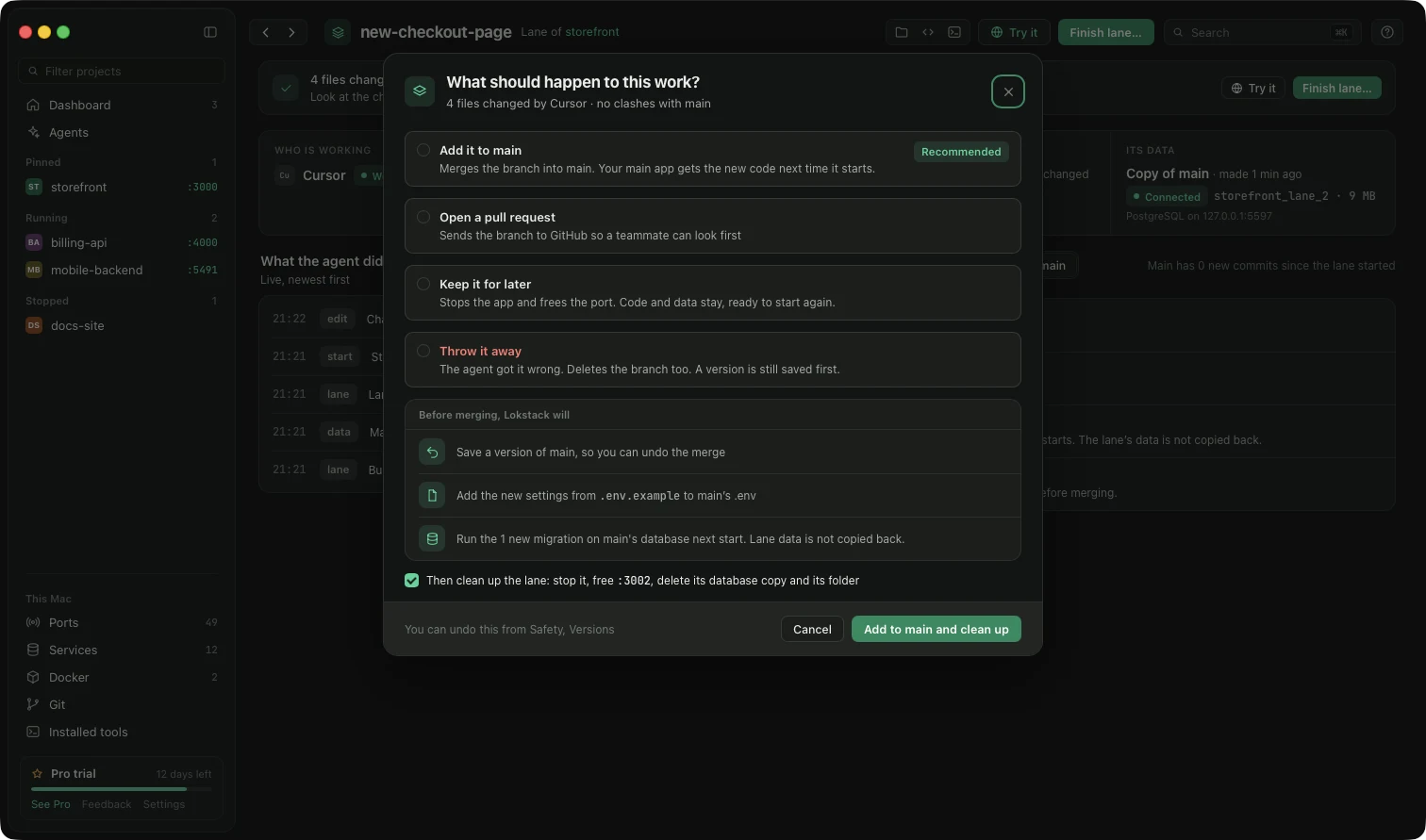
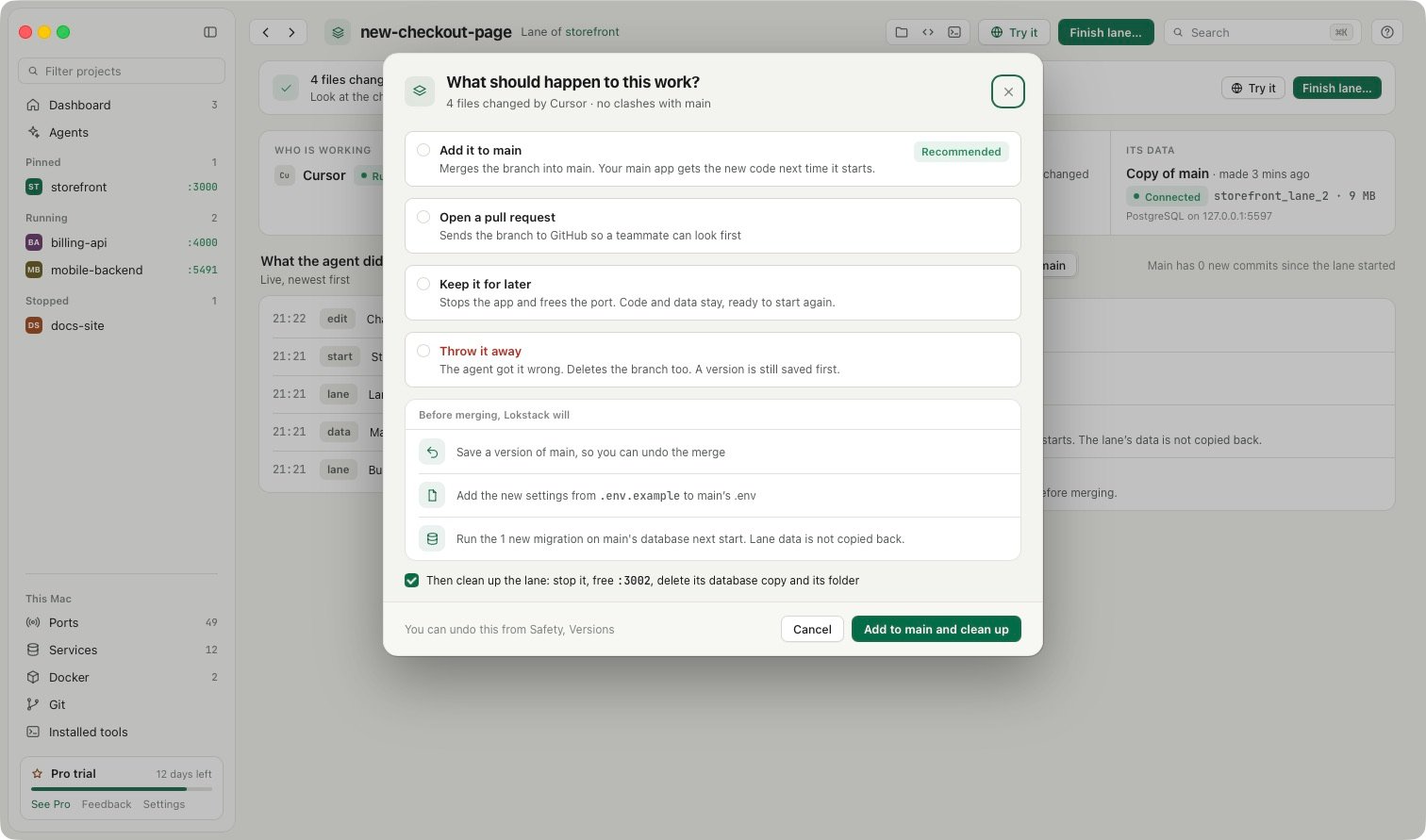
When you finish a lane, Lokstack can stop its app, free its port and drop its database copy. Main's database is never dropped, and neither is any Docker volume. After you add a lane to main, its new migrations run on main's database the next time main starts.
Lanes are part of Lokstack Pro and in beta, with a 14-day trial and no card. Seeing every database on your Mac, where it runs and which project uses it is free.