
 Lokstack
Running two or three AI coding agents at the same time sounds like a free speed-up. In practice, the first try usually goes wrong in one of four ways:
- They edit the same files. Agent A rewrites a component while agent B is halfway through changing it.
- They fight over the port. Both run
npm run dev, one gets port 3000, the other crashes or moves, and you test the wrong one. - They share one database. One agent runs a migration or seeds test data, and the other agent's work breaks for no clear reason.
- They leave servers behind. Each agent starts a dev server to check its work and never stops it.
The fix is to give each agent its own folder and branch, port, database and .env. Here is how to do that by hand.
1. A separate folder and branch for each agent: Git worktrees#
A Git worktree is a second working folder for the same repository, checked out on its own branch. Agents in different worktrees cannot overwrite each other's files.
From your project folder:
git worktree add ../shop-agent-a -b agent-a/new-checkout
git worktree add ../shop-agent-b -b agent-b/fix-cart-total
Each command creates a folder next to your project on a new branch. Point each agent at its own folder: open Claude Code in ../shop-agent-a, Cursor in ../shop-agent-b, and so on.
Worktrees do not include ignored files, so you need to install packages (npm install) and copy your .env into each one.
2. A separate port for each agent#
Pick a fixed port per agent so you always know which app you are looking at. Keep your main copy on 3000 and give the agents 3001, 3002 and so on. Most dev servers read a PORT variable:
PORT=3001 npm run devVite uses --port 3001 instead. Put the port in each worktree's .env so the agent does not have to remember it.
3. A separate database for each agent#
This is the step people skip, and it causes the most confusing bugs. Give each agent a copy of your development database.
PostgreSQL can copy a database in one command, as long as nothing is connected to the original at that moment:
createdb -T shop_dev shop_agent_aFor MySQL, dump and restore:
mysqladmin create shop_agent_a
mysqldump shop_dev | mysql shop_agent_a
Then point each worktree's .env at its own copy (DB_DATABASE=shop_agent_a, or the matching DATABASE_URL).
4. Tell each agent where it lives#
Agents work better when the facts are written down. Add a short note to the worktree's CLAUDE.md or AGENTS.md:
You are working in ../shop-agent-a on branch agent-a/new-checkout.
Run the app on port 3001. The database is shop_agent_a.
Stop any server you start before you finish.
5. Review, merge and clean up#
When an agent is done, review its branch like any other pull request, then merge it into main. Finish the agents one at a time: after the first merge, check whether the second branch now clashes with main.
Then clean up, or the leftovers pile up fast:
git worktree remove ../shop-agent-a
dropdb shop_agent_a
And check for servers the agent left running:
lsof -nP -iTCP:3001 -sTCP:LISTENFor the full walkthrough with more detail on each step, see How to run multiple AI coding agents on one Mac without port clashes.
The easier way: lanes in Lokstack#
Doing all of this by hand works, but it is five or six steps per agent, and the clean-up is easy to forget. Lokstack is a Mac app that does it for you with lanes. A lane is built on a Git worktree, exactly like step 1. What Lokstack adds is steps 2 to 5: the port, the database copy, the .env, the notes for the agent and the clean-up.
A lane is a private copy of a project for one AI agent. Press New lane, pick the project and the agent, describe the task in a few words, and Lokstack creates, in about ten seconds:
- a Git worktree on its own branch, in a
.lanesfolder next to your project, - its own port (your main copy keeps 3000, lanes get the next free ports),
- its own copy of the database (PostgreSQL or MySQL), or a shared or empty one if you prefer,
- its own
.envwith the lane's port, address and database, and its owntask.project.localhostaddress, - a short note in the agent's
CLAUDE.mdorAGENTS.mdsaying where it lives.
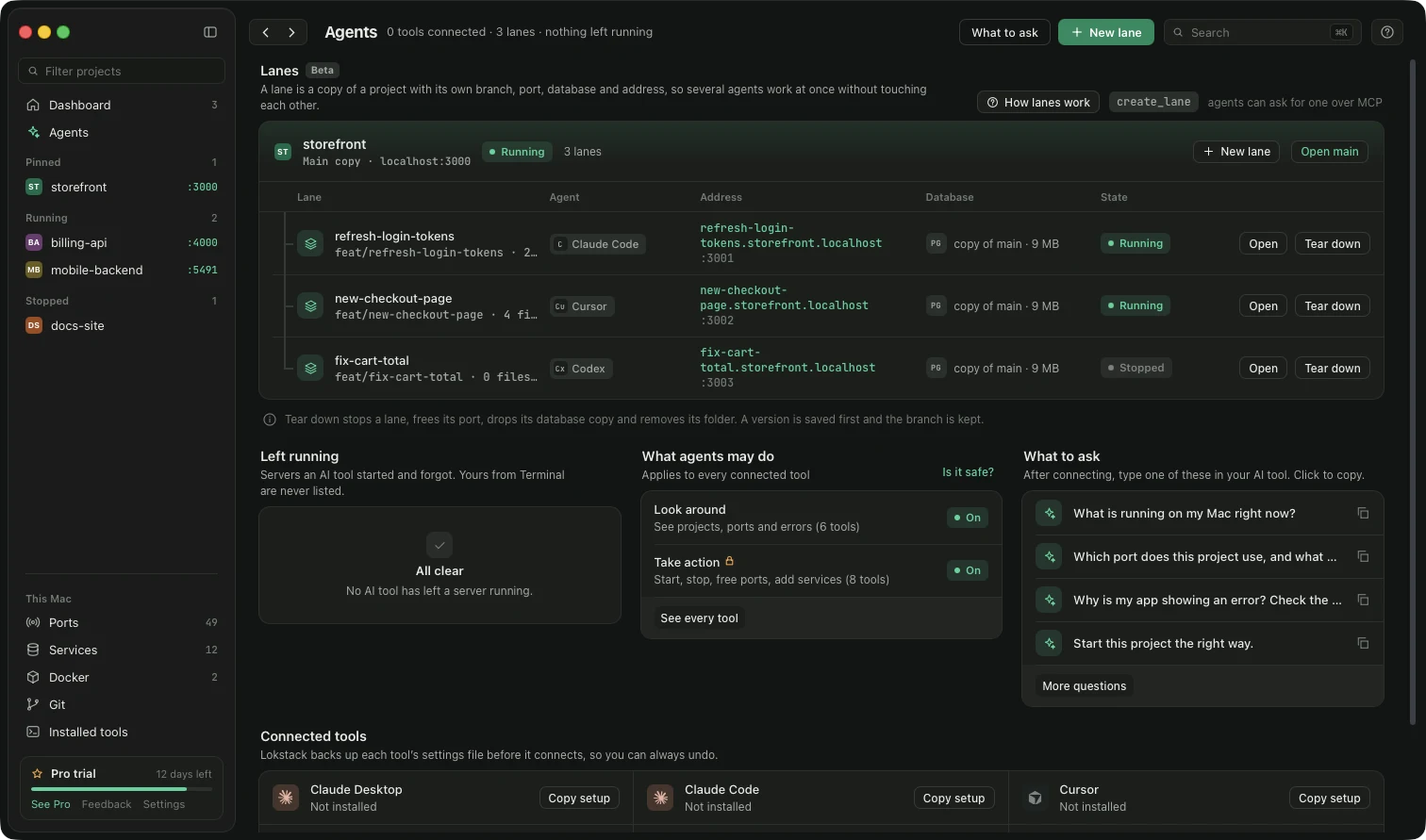
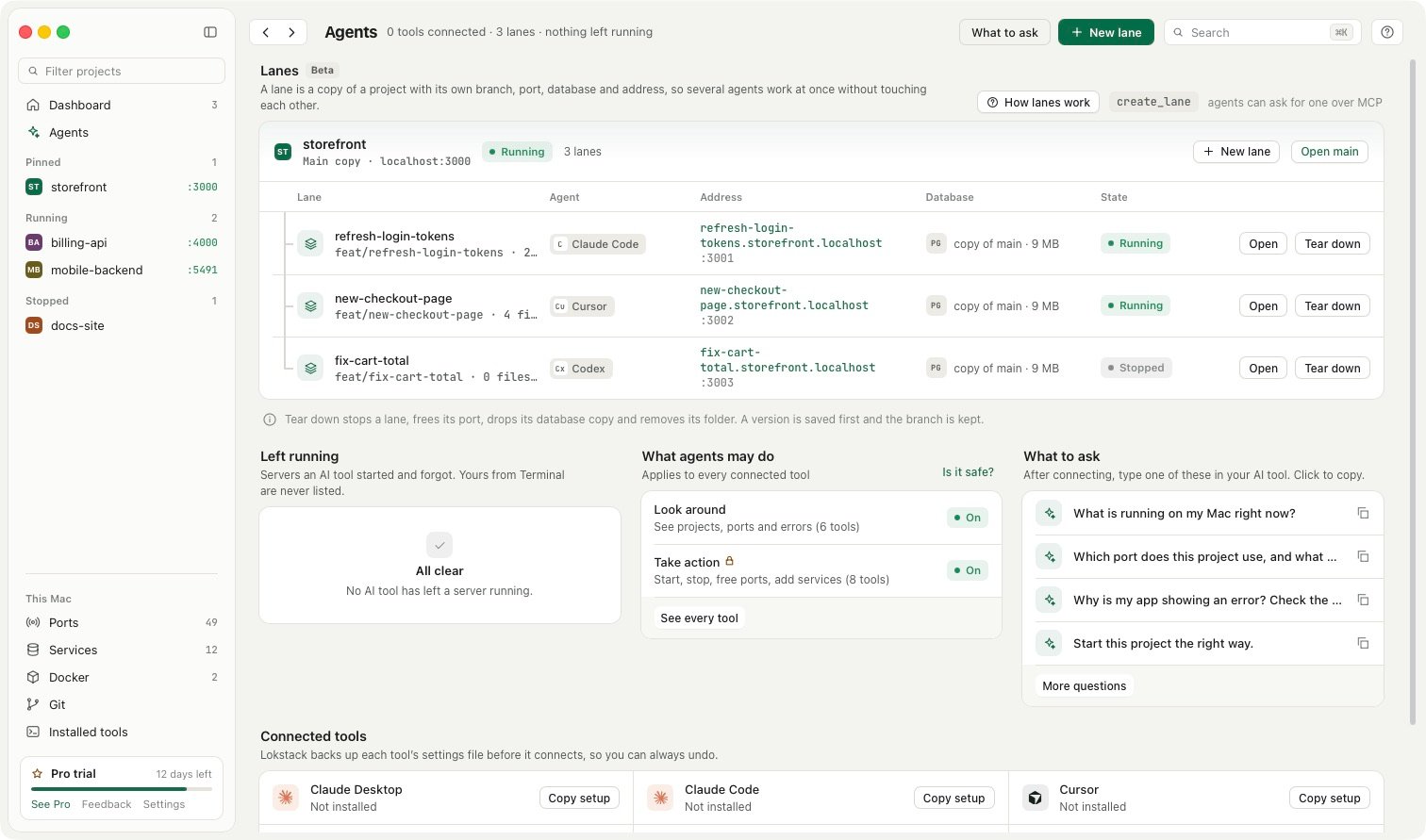
The Agents screen shows every lane with a timeline of what the agent did and the files it changed. When a lane is done, you choose: Add it to main, Open a pull request, Keep it for later or Throw it away. Adding to main saves a version of main first, and clean-up stops the app, frees the port and drops the lane's database copy. Your main branch and main database are never touched until you choose.
Agents can also ask for a lane themselves over MCP (create_lane, teardown_lane), but they can never add a lane to main or throw one away. Only you can.
To keep track of what each agent is for, every project also has a Backlog: notes, links and todos in a list or a board, kept on your Mac and never in the project, so no branch owns it. Connected AI tools can read it (list_backlog), and with Pro they can add a follow-up they noticed (add_backlog), marked Added by AI.
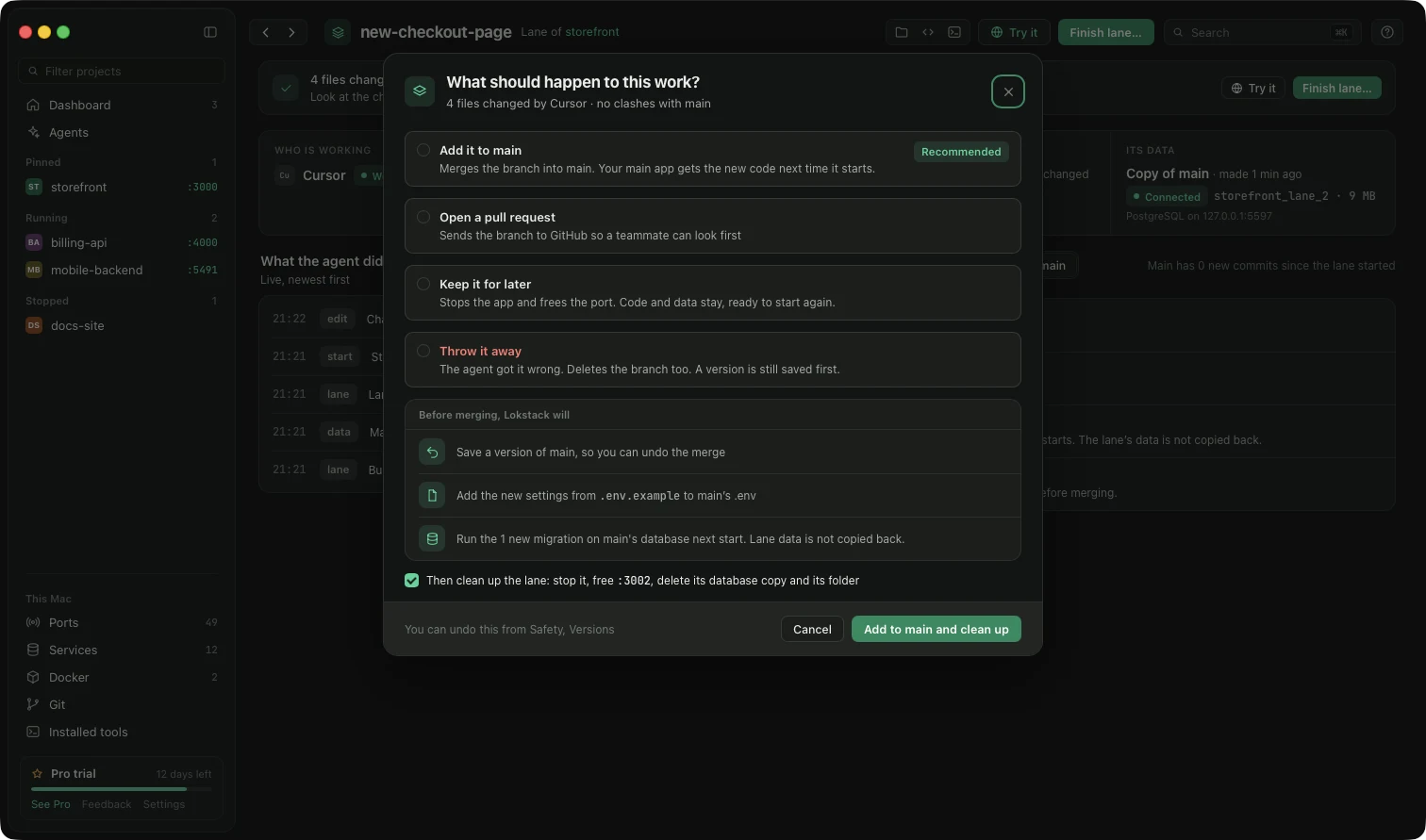
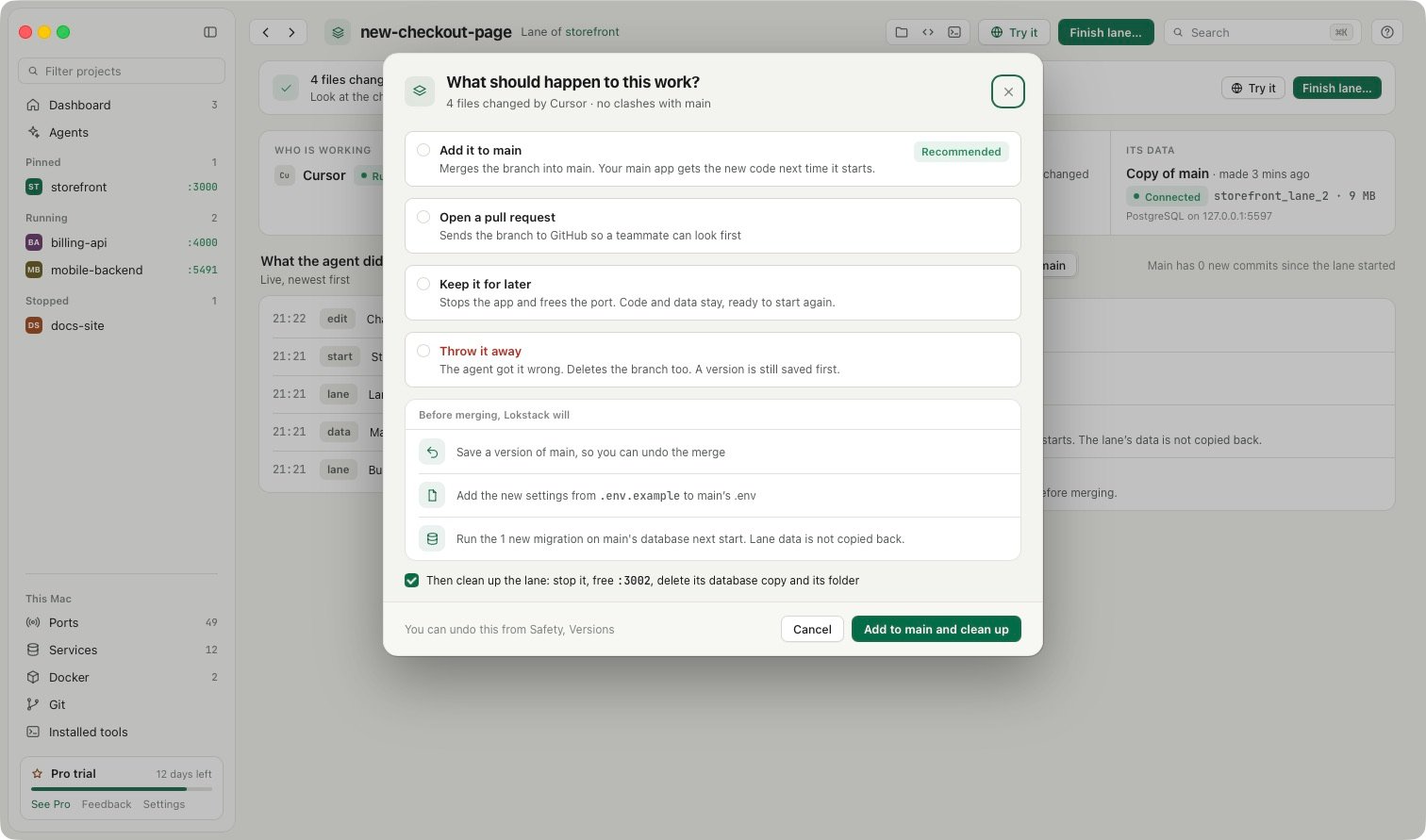
Lanes are part of Lokstack Pro and are in beta: they work and have passed a full test pass, but details may change between releases. Pro is $79.99 a year, with 50% off the first year ($39.99, applied for you when you press Buy Pro), with a 14-day free trial and no card. The free version already lists servers your AI tools left running, with a stop button.