
 Lokstack
Claude Code works best on one clear task at a time. Running two or three sessions side by side, one on a bug, one on a feature, one on tests, gets more done, but only if they cannot step on each other. In one folder they will: they edit the same files, switch the same branch, and fight over the same dev server port.
The fix is a separate git worktree for each session.
1. What a worktree is#
A worktree is an extra working folder for the same repository, checked out on its own branch. All worktrees share one .git history, so commits made in one are visible to the others, but their files are separate. Claude in folder A cannot overwrite what Claude in folder B is writing.
2. Create one worktree per session#
From your project folder:
git worktree add ../shop-login -b claude/fix-login
git worktree add ../shop-search -b claude/search-filters
Then open a terminal in each folder and start Claude Code there:
cd ../shop-login && claudeEach session now works on its own branch in its own folder. List them any time with:
git worktree listRecent versions of Claude Code can also create worktrees for you; they live in .claude/worktrees/ inside the project. Either way, the rest of this guide applies.
3. Set up each worktree#
A worktree only contains files that Git tracks. Anything in .gitignore is missing, which usually means:
- Packages: run
npm install(orcomposer install) in each worktree. - Settings: copy
.envfrom the main folder:cp ../shop/.env .env. - Port: give each worktree its own, so the dev servers do not collide. Put
PORT=3001(or 3002, and so on) in its.env. - Database: if Claude may run migrations or seed data, give each worktree its own copy. See one database copy per git branch.
4. Tell each session where it is#
Claude reads CLAUDE.md at the start of a session. Add a few lines to each worktree's copy:
This is the fix-login worktree, branch claude/fix-login.
Run the app with PORT=3001. The database is shop_fix_login.
Stop any server you start before you finish.
That last line saves you from a pile of forgotten dev servers later.
5. Keep one task list for all sessions#
With three sessions running, the hard part becomes remembering what each one is for and what came up along the way. Keep the list outside the worktrees, so no branch owns it and it never ends up in a commit. A plain TODO.md in your home folder works, or a project board.
6. Merge and clean up#
When a session is done, review its branch like any pull request and merge it. Merge one at a time: after the first lands, check whether the next branch still applies cleanly to main.
Then remove the worktree and its branch:
git worktree remove ../shop-login
git branch -d claude/fix-login
git worktree prune tidies up entries for folders you deleted by hand. And check that nothing is still listening on the session's port:
lsof -nP -iTCP:3001 -sTCP:LISTENThe easier way: lanes and a backlog in Lokstack#
Lokstack is a Mac app that does steps 2 to 6 for you. A lane is a git worktree with everything around it: its own branch, its own port (main keeps :3000, lanes get :3001 and up), its own copy of the PostgreSQL or MySQL database, its own .env, a task.project.localhost address and a short note in CLAUDE.md saying where it lives. It takes about ten seconds, and Claude Code can ask for a lane itself over MCP (create_lane).
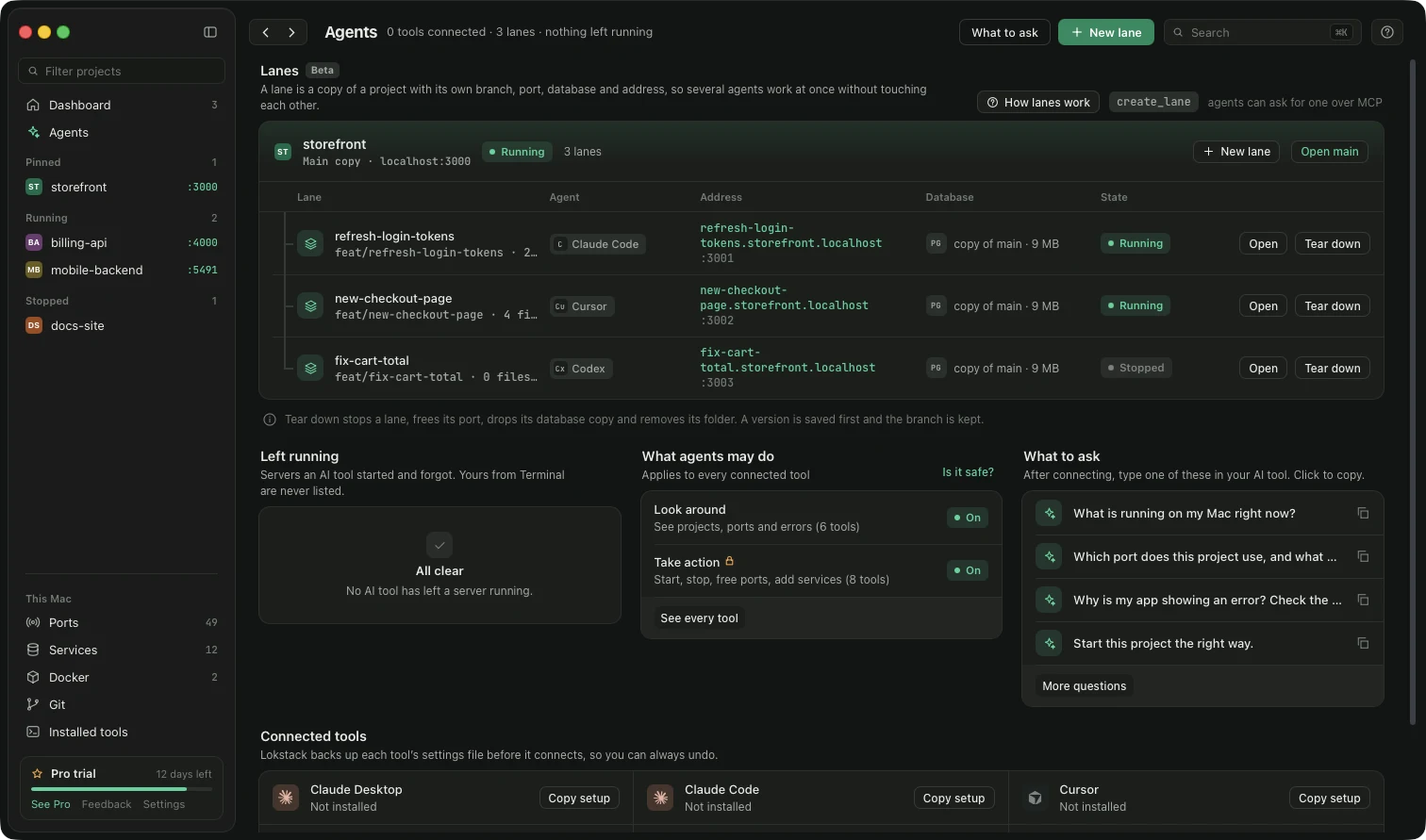
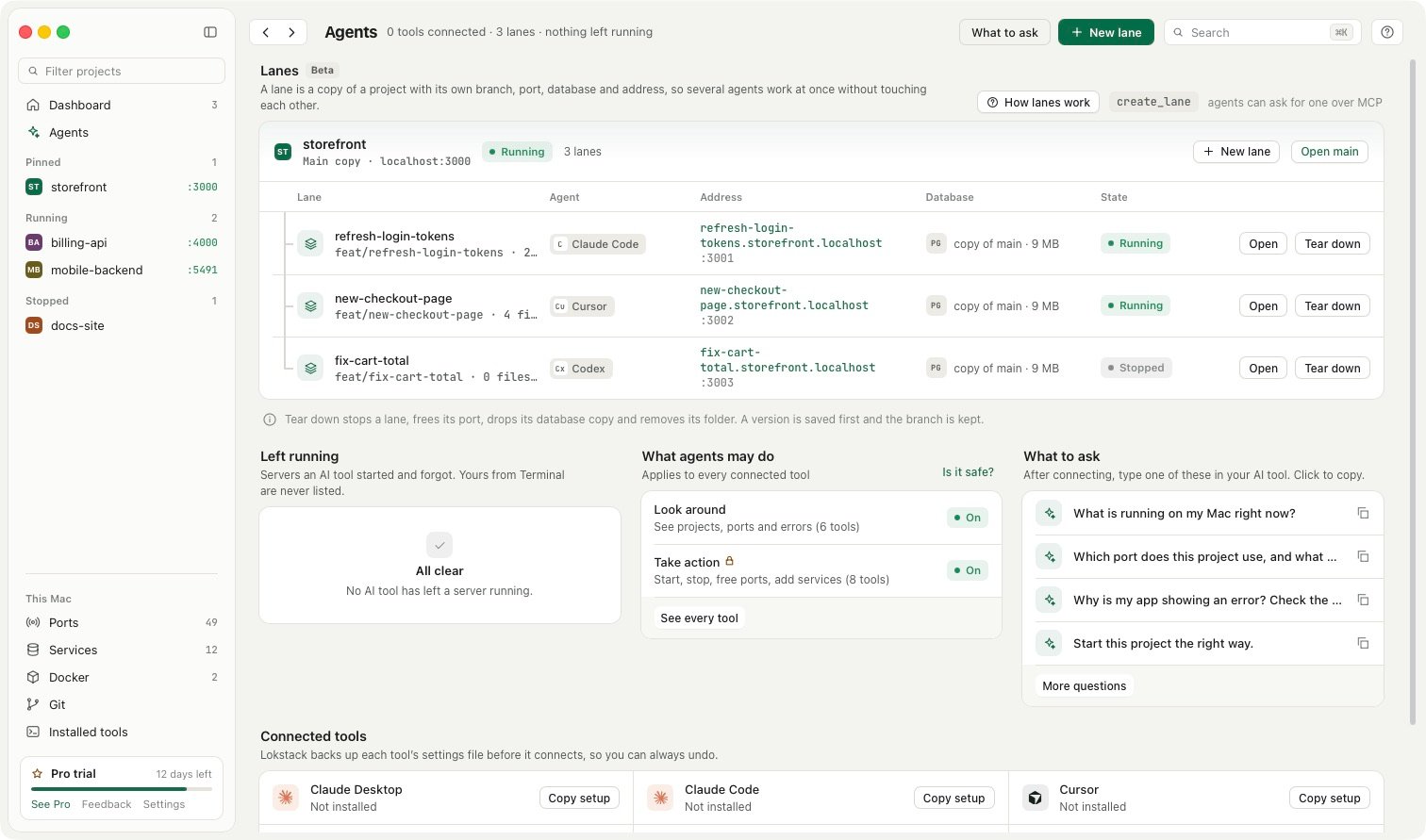
When a lane is done you choose Add it to main, Open a pull request, Keep it for later or Throw it away. Clean-up stops the app, frees the port and drops the lane's database copy. An agent can never merge or delete a lane; only you can.
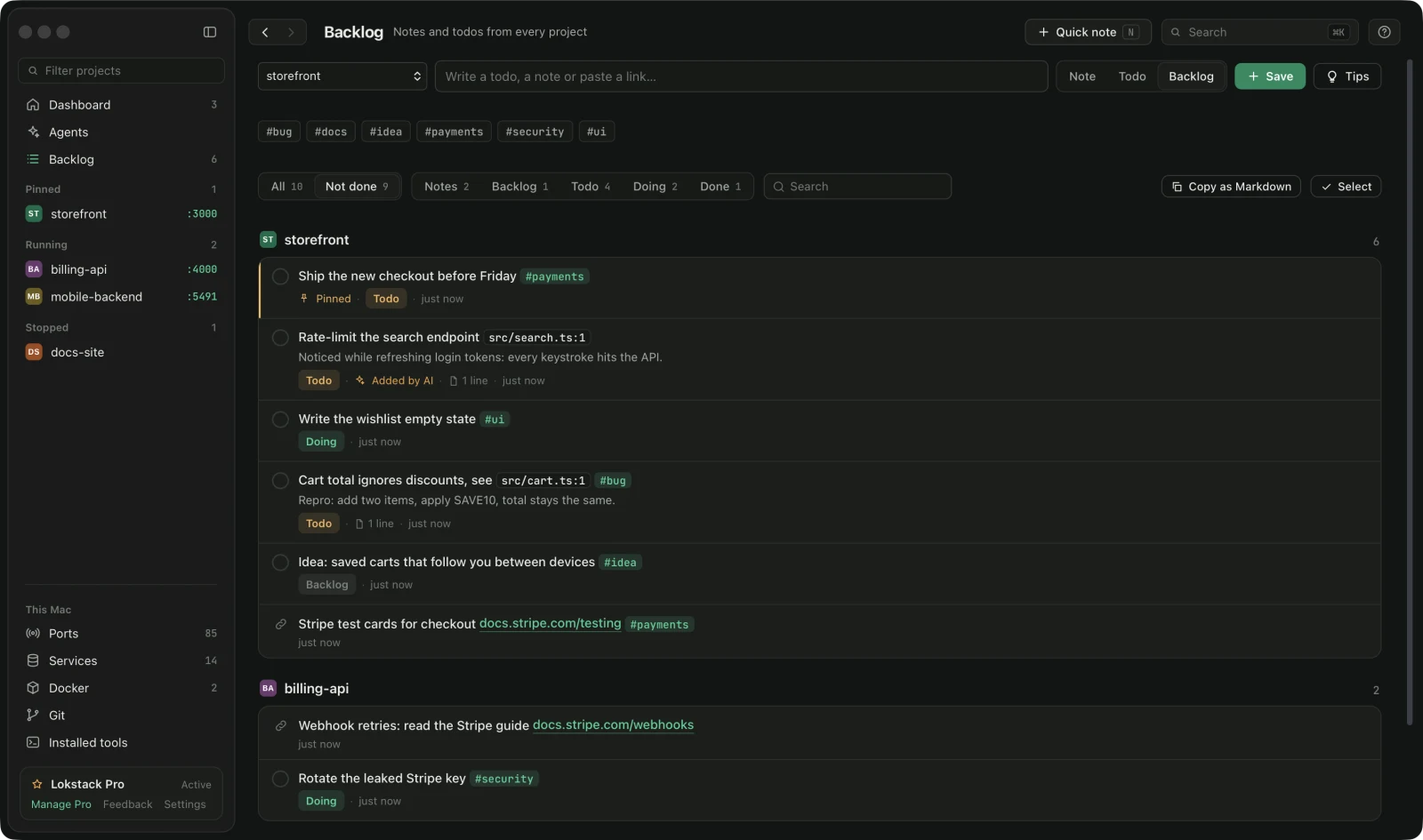
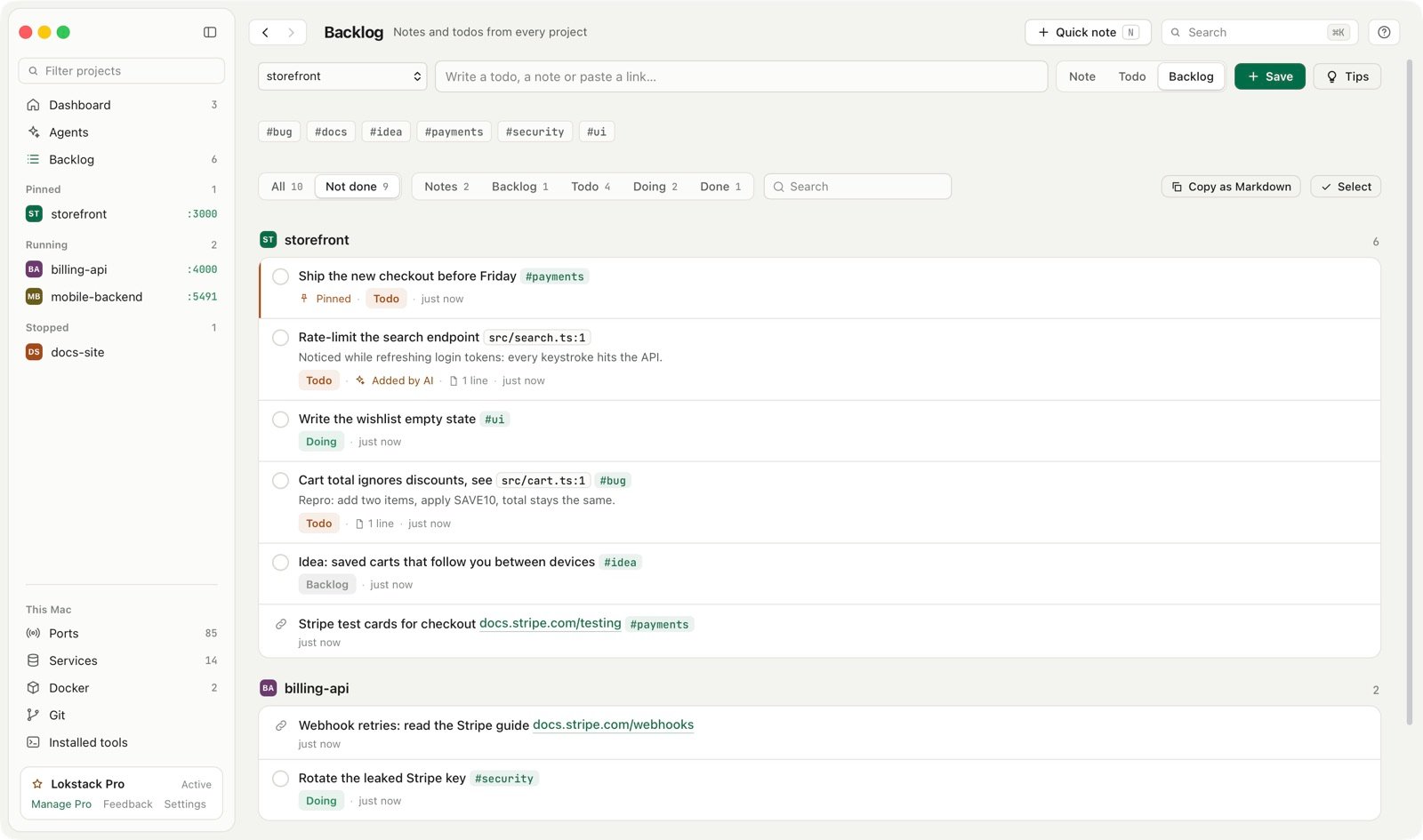
For step 5, each project in Lokstack has a Backlog: notes, links and todos, as a list or a board, saved in ~/.lokstack/backlog/ and never in the project, so it is never committed. Connected AI tools can read it with list_backlog, so you can ask Claude "what should I work on next?" and it reads your list. With Pro, Claude can also add a follow-up it noticed with add_backlog, marked Added by AI.
Lanes and MCP actions are part of Lokstack Pro and in beta. Pro is $79.99 a year, with 50% off the first year ($39.99, applied for you when you press Buy Pro), and a 14-day trial with no card. The Backlog, and AI tools reading it, are free.