
 Lokstack
OrbStack and Lokstack are both native Mac apps for developers, so they get compared. They do different jobs, and for most people the answer is to use both: OrbStack runs your containers, and Lokstack shows them alongside the dev servers, databases and ports that run outside them.
What OrbStack is#
OrbStack is a fast, light way to run Docker containers and Linux on a Mac, made by Orbital Labs. It replaces Docker Desktop for many developers.
- Docker engine and Compose, with bind mounts and port forwards that work as expected, plus an optional Kubernetes.
- Linux machines: full Linux distributions you can SSH into, with file sharing and cloud-init.
- Domains for containers: every container gets an address like
container-name.orb.local, and Compose services getservice.project.orb.local, with zero-setup HTTPS. - Extras: Rosetta for x86 images, USB passthrough, a menu bar app and a CLI.
Pricing: free for personal, non-commercial use. Freelance, business and commercial use (non-profits included) needs Pro at $8 per user a month, or $96 a year, with a 30-day grace period. OrbStack runs on macOS 14 or newer, on Apple Silicon and Intel.
What Lokstack is#
Lokstack is a Mac app that shows everything running for each of your projects in one window. It is not a container runtime. When you use Docker, it works with OrbStack or Docker Desktop and shows each project's containers next to everything else.
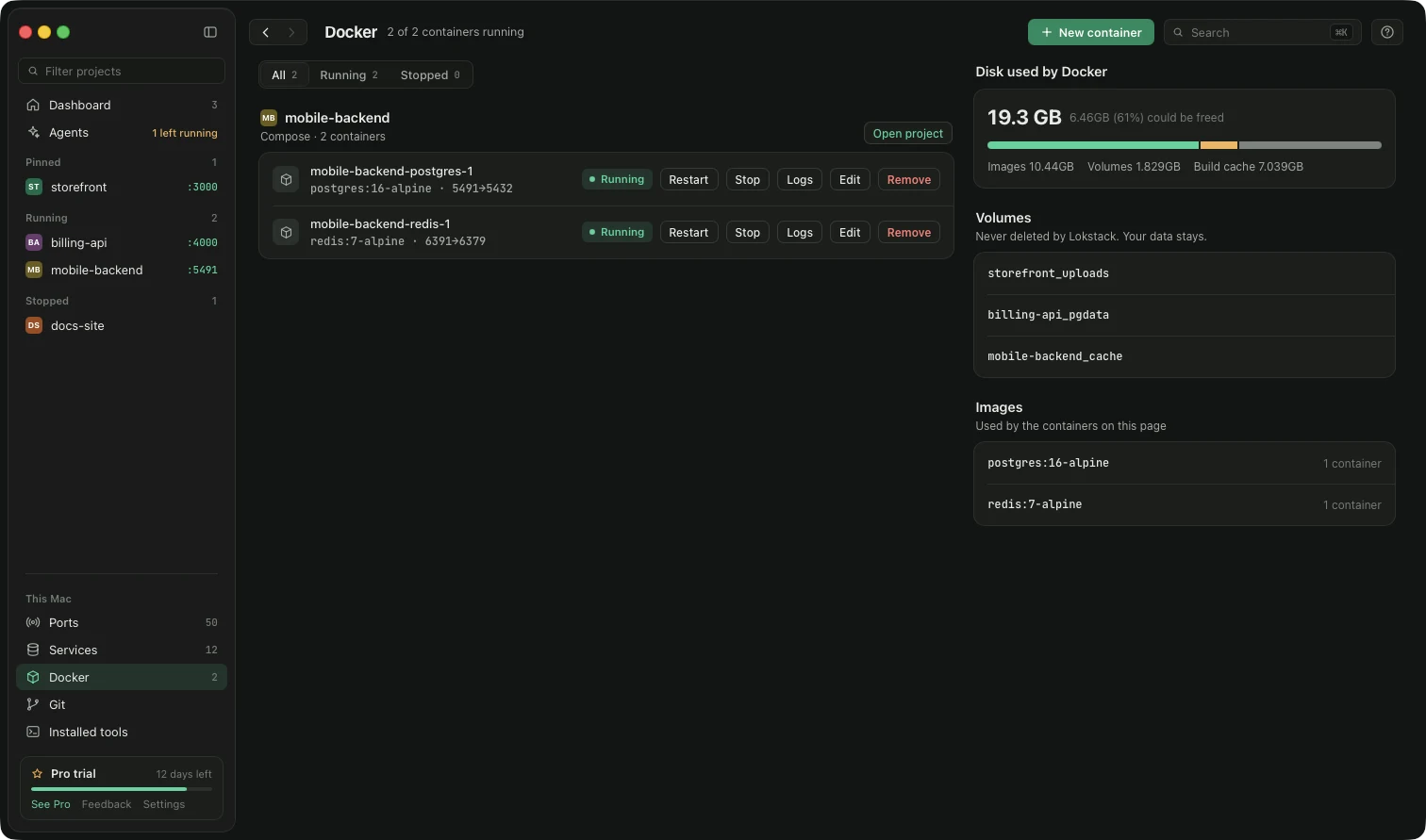
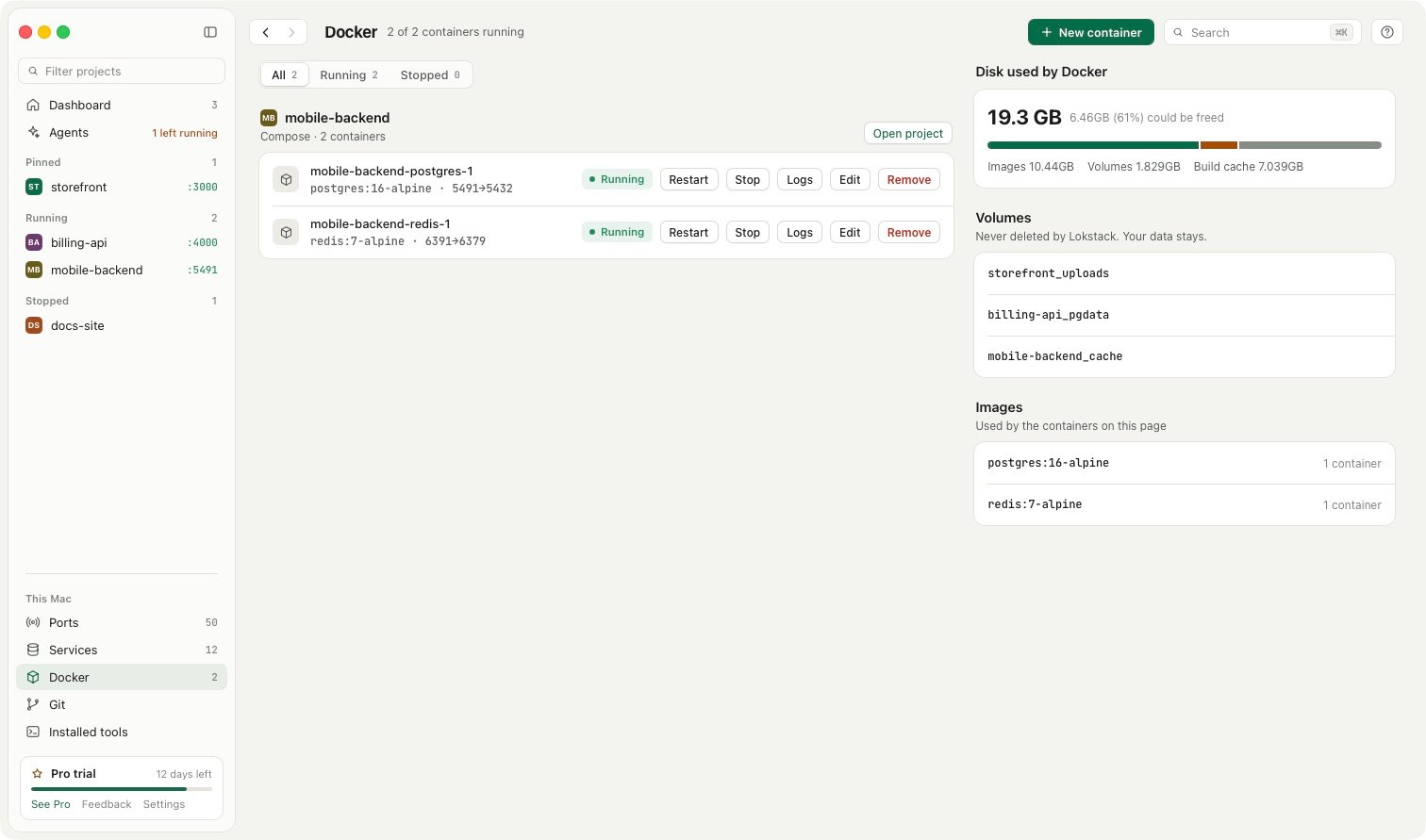
- Ports lists every listening port on the Mac, including servers outside Docker, with Stop and Force.
- Why it will not start checks the port, the Node version, packages,
.envsettings and the database, wherever it runs. - Docker per project: start, stop, restart, logs and Compose, free. If Docker is not running, Lokstack can start it. Volumes are never deleted.
- Services without Docker: PostgreSQL, MySQL, Mailpit and more, installed with Homebrew.
- Lanes (Pro, beta) give each AI coding agent its own git worktree, port, database copy and
.localhostaddress.
Pricing: free for everyday work, with no account and no time limit, including at work: your job, freelance clients and company projects. Pro is $79.99 a year ($39.99 the first year) for one person on up to 3 Macs, with a 14-day trial and no card. macOS 13 or newer.
Side by side#
| Feature | OrbStack | Lokstack |
|---|---|---|
| Runs Docker containers | Yes, that is its job | No, it uses OrbStack or Docker Desktop |
| Linux machines | Yes | No |
| Kubernetes | Yes, optional | No |
| Shows dev servers outside containers | No | Yes, every listening port and process |
| Explains why a project will not start | No | Yes, free |
| Container controls | Yes | Yes, per project: start, stop, logs, Compose |
| Databases without Docker | No | Yes, via Homebrew (2 free, unlimited with Pro) |
| Local addresses | *.orb.local for containers, with HTTPS | *.localhost, .lokstack or .ls-dev for any running project |
| Separate copy per AI agent | No | Lanes (Pro, beta) |
| Free plan | Personal, non-commercial use only | Everyday work, including commercial use, no account |
| Platforms | macOS 14+ | macOS 13+ |
| Paid plan | $96 a year per user | $79.99 a year, 3 Macs, 14-day trial with no card |
Where OrbStack is better#
For anything container-shaped, OrbStack is the tool and Lokstack does not try to replace it. It runs Docker and Linux quickly and lightly, gives containers real addresses with HTTPS, and handles Kubernetes, x86 images and USB devices. If your whole stack lives in containers, OrbStack alone may be all you need.
Where Lokstack is better#
Most projects are not only containers. The Next.js dev server you started in Terminal, the Postgres from Homebrew, the server an AI agent left running: OrbStack does not see those. Lokstack sees all of them, shows which program holds which port, and explains in plain words why a project will not start. Lanes add a separate branch, port and database copy for each AI agent. And Lokstack's free plan can be used at work, where OrbStack needs a paid licence.
Using both together#
This is the common setup. OrbStack runs your containers. Lokstack lists them under the project they belong to, next to that project's dev servers, .env, versions and ports, with start, stop and logs for both. Nothing about your Compose files changes.
Prices and features checked on 24 October 2026 on orbstack.dev.