
 Lokstack
"Should I use Lokstack or Docker Desktop?" is a fair question, because both show you things running on your Mac and both have start and stop buttons. But they are not the same kind of tool, and for most people the answer is both. Here is what each one does, where each is better, and how they fit together.
What Docker Desktop is#
Docker Desktop is the official way to run Docker containers on a Mac. It bundles the Docker Engine, the Docker CLI, Docker Compose, an optional Kubernetes, extensions and a GUI to manage images, containers and volumes.
Containers are its whole point. You describe a service in a Dockerfile or a compose.yaml, and it runs the same way on your Mac, your teammate's laptop and your server. That is hard to beat for:
- Matching production. Run the same Postgres version, the same Redis, the same OS libraries your servers use.
- Any service at all. If there is an image for it, you can run it: Elasticsearch, RabbitMQ, Kafka, a specific old MySQL.
- Teams. Commit a
compose.yamland everyone gets the same stack with onedocker compose up. - Isolation. Each service stays in its container instead of being installed on your Mac.
- Every platform. Docker Desktop runs on Mac, Windows and Linux.
Pricing: Docker Personal is $0. Under Docker's terms, Docker Desktop is free for small businesses (fewer than 250 employees and less than $10 million in annual revenue), personal use, education and non-commercial open source. Larger companies need a paid plan: Pro at $9 per user per month (billed yearly) or $11 monthly, Team at $15 or $16, and Business at $24.
What Lokstack is#
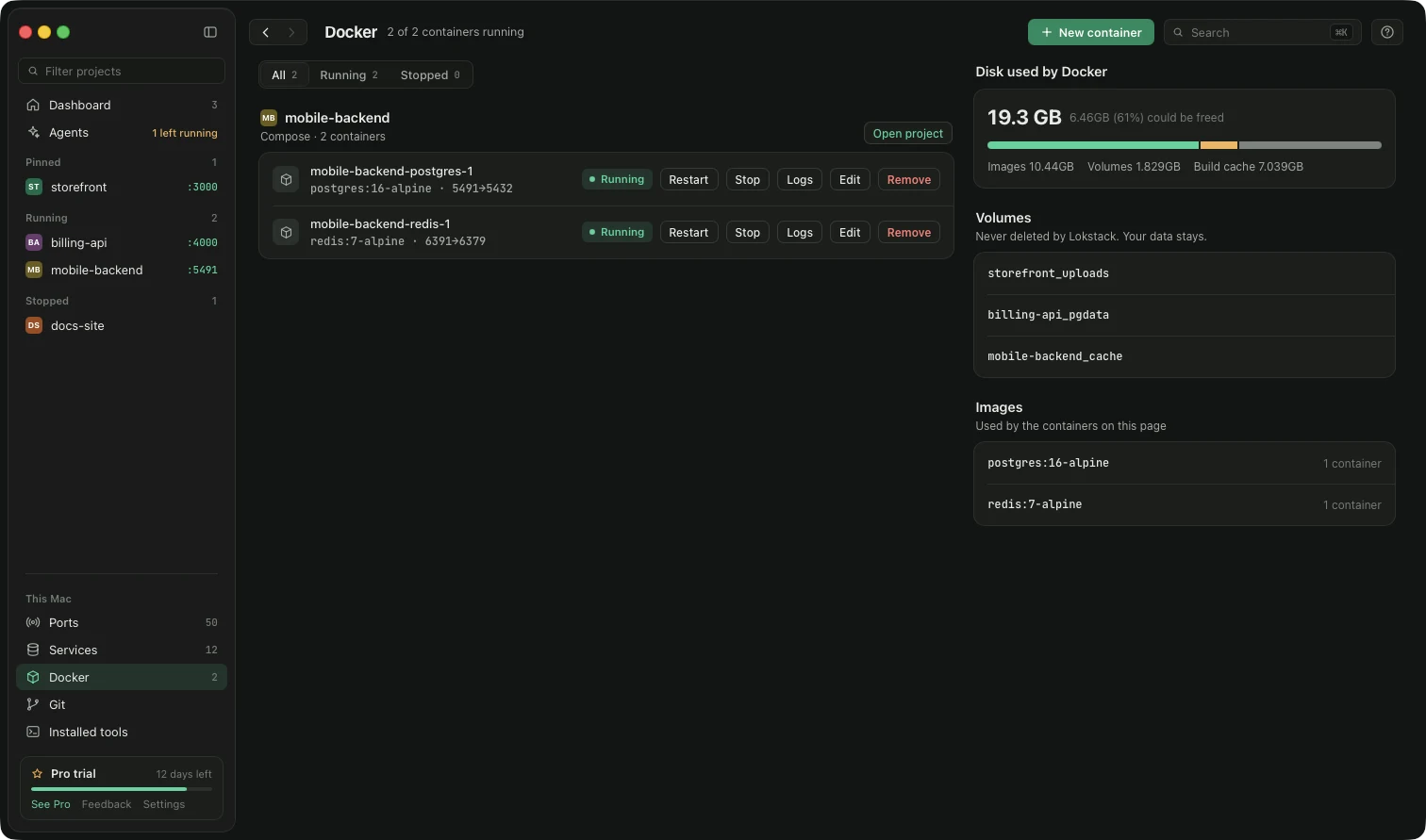
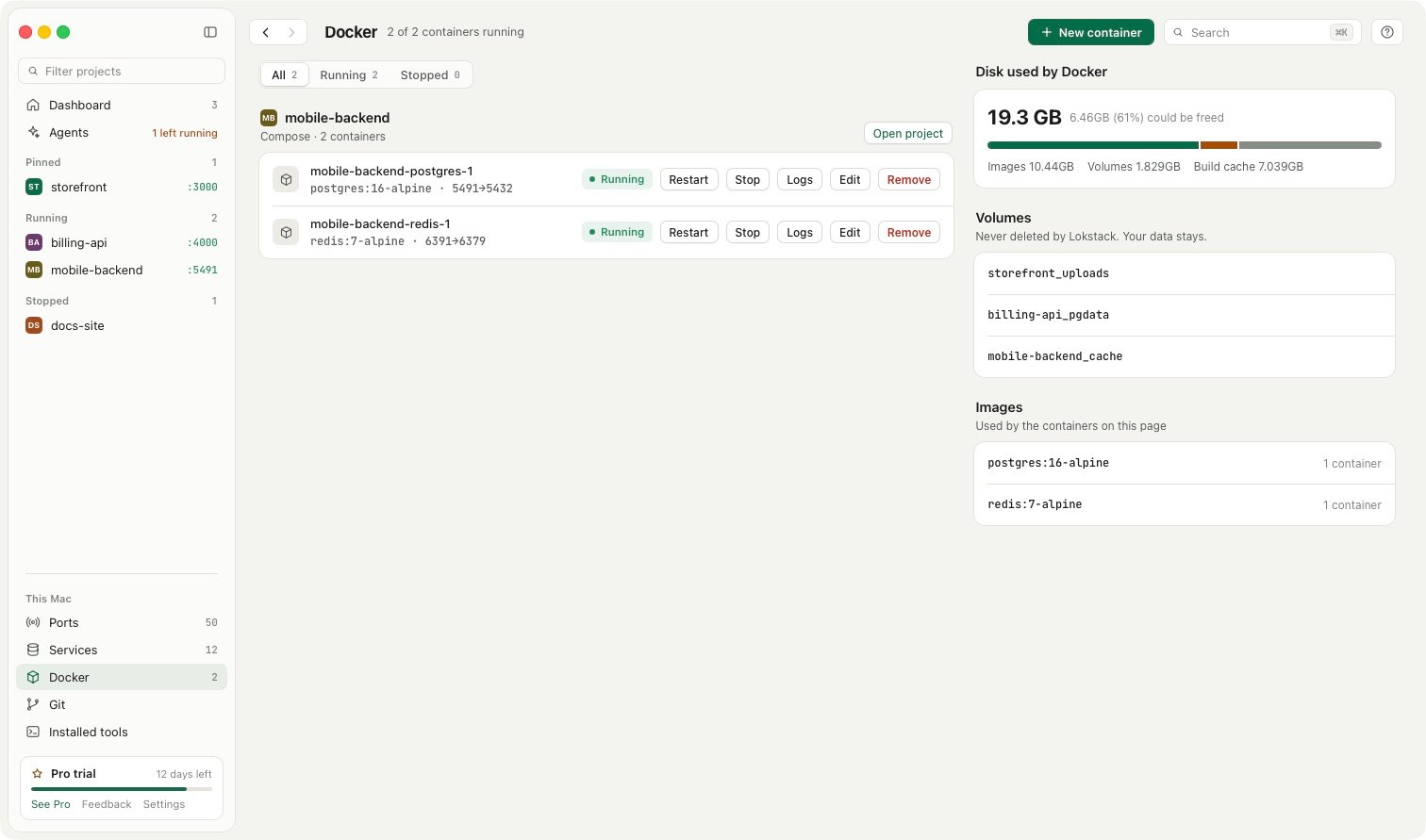
Lokstack is a Mac app that shows you everything running for your local projects, in one picture per project. It is not a container runtime and does not replace Docker. When you use Docker, Lokstack works with Docker Desktop or OrbStack, and shows the containers that belong to each project next to everything else.
That "everything else" is the point. Docker Desktop sees containers. A typical project also has a Node dev server started from Terminal, a .env file, a Node version, a database that might be in Docker, Homebrew or Herd, and a port that something else may already hold. Lokstack joins those together:
- Why it will not start explains in plain words why a project fails (wrong Node version, missing packages, a stopped database, a busy port) and puts the fix beside the reason.
- Ports lists every listening port with its program and project, with Stop and Force. That includes servers outside Docker, which Docker Desktop does not show.
- Docker in each project: start, stop, restart, logs and Compose, all in the free version. If Docker is not running, Lokstack can start it. Docker volumes are never deleted by Lokstack.
- Services without Docker: Lokstack can install PostgreSQL, MySQL, Mailpit and others with Homebrew and give you the lines to paste into
.env. That suits people who find running a database in Docker heavy for everyday work. - AI agents: it lists dev servers your AI tools left running, and with Pro, lanes (in beta) give each agent its own branch, port and database copy.
Pricing: free for everyday work, including the Docker controls and one database in Docker, and free for commercial use at any company size. Pro is $79.99 a year, with 50% off the first year ($39.99, applied for you when you press Buy Pro), one person on up to 3 Macs, with a 14-day trial and no card. Pro adds unlimited databases and services, editing a container with automatic rollback, one-click fixes, Node or PHP per project, lanes and Git power tools. Lokstack is Mac only (macOS 13 or newer).
Side by side#
| Feature | Docker Desktop | Lokstack |
|---|---|---|
| Runs containers | Yes, that is its job | No, it uses Docker Desktop or OrbStack |
| Build and manage images | Yes | No |
| Compose | Yes | Start, stop and logs for Compose projects |
| Kubernetes | Optional, built in | No |
| Shows dev servers outside Docker (Node, PHP) | No | Yes, every listening port |
| Explains why a project will not start | No | Yes |
| Databases without Docker | No | Yes, via Homebrew (2 free, unlimited with Pro) |
| Node and PHP versions per project | Inside your images | Shows all; per project is Pro |
| Copy of a project per AI agent | No | Lanes (Pro, beta) |
| Platforms | Mac, Windows, Linux | Mac only |
| Cost | Free for personal use and small businesses; paid from $9 per user per month | Free; Pro $79.99 a year ($39.99 the first year) |
Where Docker Desktop is better#
If your team ships containers, Docker is the foundation and Lokstack does not try to replace it. Docker gives you reproducible environments, the exact service versions you run in production, any service that has an image, and a compose.yaml your whole team can share. It runs on every major platform. For anything involving building images, Kubernetes or CI parity, use Docker.
Where Lokstack is better#
Lokstack is better at the question Docker Desktop cannot answer: "why is my project not working right now?" Most local projects are a mix of containers and things that run straight on your Mac. Lokstack sees both, shows who holds each port, explains startup failures in plain words, and cleans up servers left behind by you or your AI agents. If you would rather not run databases in Docker at all, it can set them up with Homebrew instead.
Using both together#
The common setup: Docker Desktop (or OrbStack) runs your containers, and Lokstack sits on top showing each project's containers, dev servers, ports and versions in one place, with start, stop and logs for both. You keep your compose.yaml exactly as it is.
Need help with a busy port first? See Port 3000 already in use on Mac.