
 Lokstack
A project that ran yesterday and fails today almost always has one of five problems. They are worth checking in this order, because each check is quicker than the next and the early ones are the most common.
1. Is the port free?#
Signs: EADDRINUSE, "address already in use", "Port 3000 is in use, trying 3001", or the browser shows an old version of the app.
lsof -nP -iTCP:3000 -sTCP:LISTENIf a program is listed, an older copy is still running, or a different project took the port. See EADDRINUSE: address already in use for how to stop it safely.
2. Is it the right Node or PHP version?#
Signs: The engine "node" is incompatible, SyntaxError: Unexpected token, was compiled against a different Node.js version, or Composer saying your PHP version does not satisfy a requirement.
node -v
cat .nvmrc
grep '"node"' package.json
Compare what runs with what the project asks for in .nvmrc, .node-version or the engines field. For PHP, php -v against "php" in composer.json. See switch Node version per project to make the right version switch on automatically.
3. Are the packages installed?#
Signs: Cannot find module, command not found: next (or vite, nodemon), or vendor/autoload.php: No such file.
ls node_modules | head
ls vendor | head
An empty or missing folder means the install never ran, which is normal after a fresh clone, a branch switch that changed package.json, or a new worktree. Run npm install (or pnpm install, composer install). If you switched Node versions, run npm rebuild too, because native modules are built for one version.
4. Are the settings filled in?#
Signs: undefined in a URL, "Missing environment variable", "APP_KEY is not set", or a database error pointing at localhost:undefined.
diff <(cut -d= -f1 .env.example | sort) <(cut -d= -f1 .env | sort)This shows setting names that are in .env.example but missing from your .env (lines starting with <). Someone added a new setting on another branch, and your copy of .env does not have it yet. .env is never committed, so it does not update when you pull.
5. Is the database (or cache, or mail) running?#
Signs: ECONNREFUSED 127.0.0.1:5432, Connection refused on 3306, Redis connection to localhost:6379 failed.
lsof -nP -iTCP:5432 -sTCP:LISTENIf nothing is listening, start it from wherever it lives: brew services start postgresql@17, docker compose up -d, Laravel Herd or DBngin. If something is listening but the app still cannot connect, check that the host, port, database name and password in .env match that server. Postgres from Homebrew and Postgres from Docker on the same Mac is a common mix-up.
Still stuck?#
- Read the first error, not the last. Later errors are often caused by the first one.
- Delete
node_modulesand the lockfile only as a last resort, and commit the new lockfile on purpose. - Write down what fixed it. The same problem usually comes back on the next machine or the next teammate.
The easier way: the checklist, done for you#
Lokstack is a free Mac app that runs these five checks on every project and shows the result on its Overview. When something is wrong, a red box says which check failed, in plain words, with the fix beside it: for example Use Node 24, Install packages or Add the missing settings.
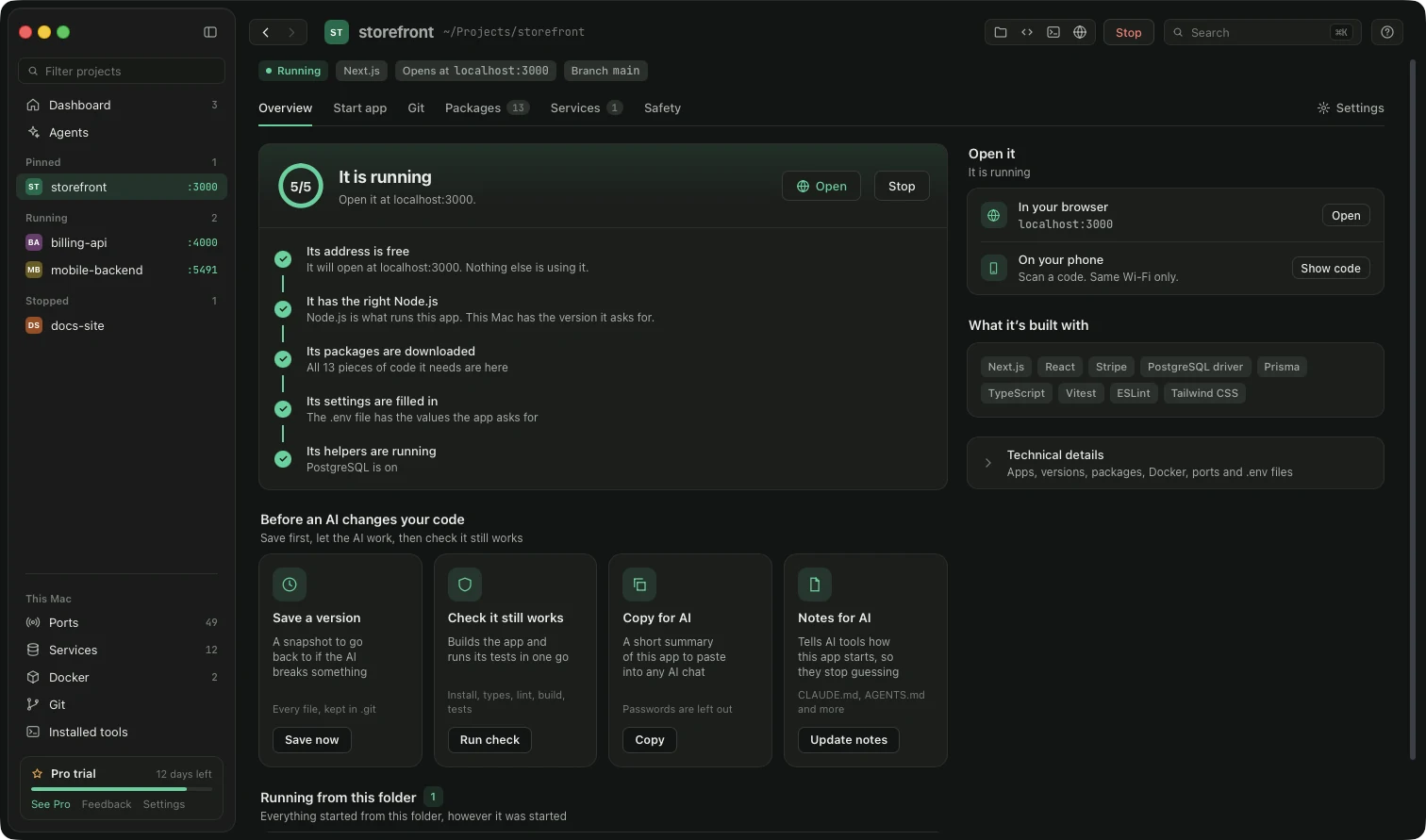
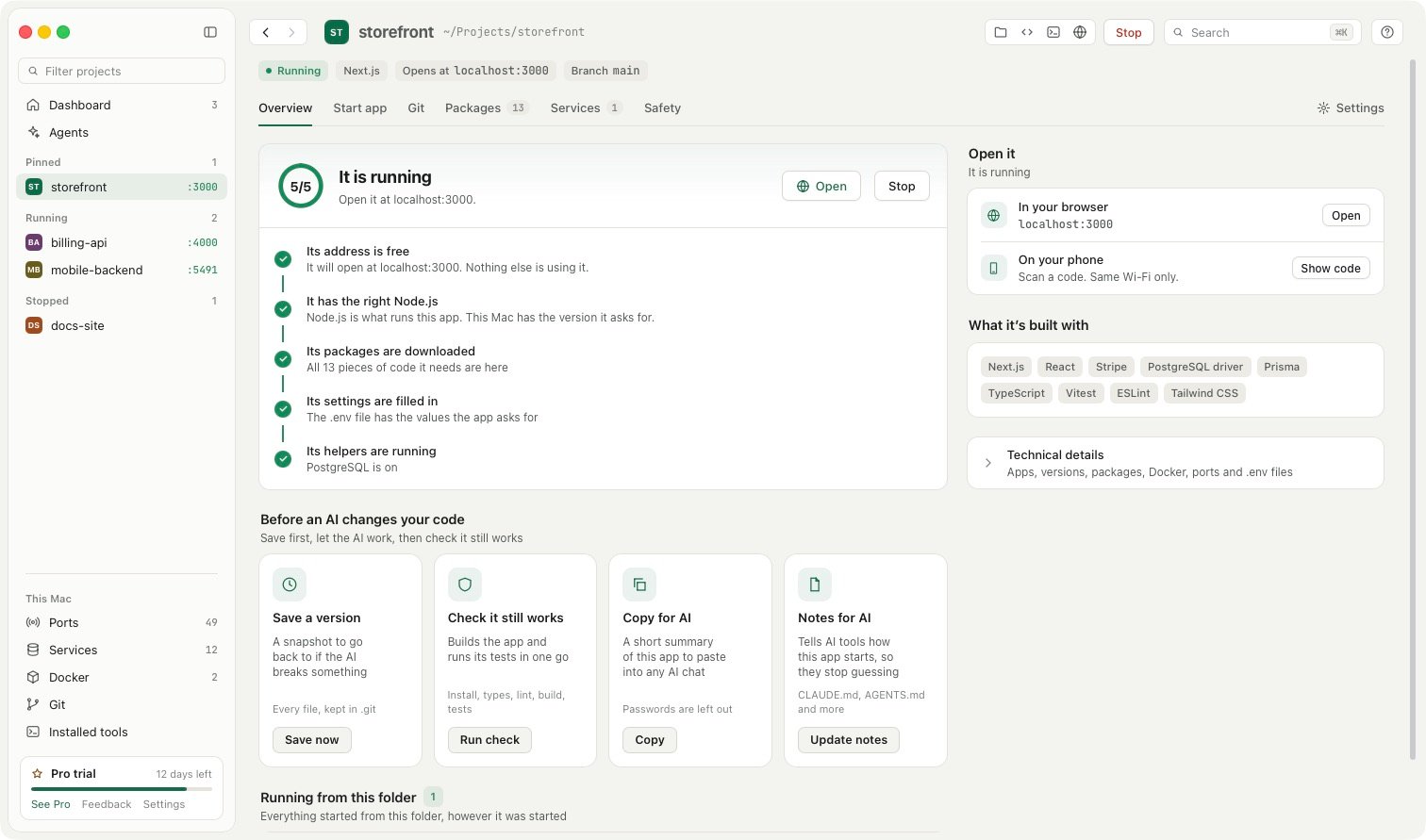
- Its address is free: the port check, with the program that holds it if it is not.
- It has the right Node.js: compared with what the project asks for.
- Its packages are downloaded and its settings are filled in: compared with the lockfile and
.env.example. - Its helpers are running: the database, cache or mail server it needs, wherever it runs.
And for the last tip, each project has a Backlog for notes, links and todos, kept on your Mac and never in the project folder. Press N on any page to jot down what fixed it before you forget.
Seeing the reasons is free. With Lokstack Pro, the runtime and .env fixes are one click.