
 Lokstack
You start your app and Node stops with something like this:
Error: listen EADDRINUSE: address already in use :::3000
    at Server.setupListenHandle [as _listen2] (node:net:1908:16)
  code: 'EADDRINUSE',
  errno: -48,
  syscall: 'listen',
  address: '::',
  port: 3000
EADDRINUSE means "address in use". Your app asked macOS for port 3000, and macOS said no because another program is already listening on it. Only one program can listen on a port at a time. Nothing is broken in your code. The question is which program got there first.
1. Read the port number from the error#
The last number in the message is the port: :::3000 means port 3000, 127.0.0.1:5173 means port 5173. The ::: part only means "every address, IPv6 style". Note the port; everything below uses it.
2. Find the program that holds the port#
Open Terminal and run, with your port in place of 3000:
lsof -nP -iTCP:3000 -sTCP:LISTENYou get one line per listening program:
COMMAND   PID USER   FD   TYPE  DEVICE SIZE/OFF NODE NAME
node    51027 you    24u  IPv6  0x...       0t0  TCP *:3000 (LISTEN)
Note the PID (51027). The -sTCP:LISTEN part matters: without it, lsof also lists programs that are only connected to the port, such as your browser.
If nothing comes back, the port is free now. The program that held it may have just quit, so run your app again.
3. Check what it is before you stop it#
A PID alone does not tell you which project it belongs to. This shows the full command and how long it has run:
ps -o pid,etime,command -p 51027And this shows the folder it was started from:
lsof -a -p 51027 -d cwdUsually it is one of three things: your own app, still running in a terminal tab you forgot; a second copy started by your editor or an AI coding agent; or a different project that also defaults to that port.
4. Stop it#
Ask it to quit first, so it can close files and connections:
kill 51027Run the lsof command again. If the program is still listening after a few seconds, end it at once:
kill -9 51027If you are sure you want to stop whatever is listening on the port, this does steps 2 and 4 in one line:
kill $(lsof -t -iTCP:3000 -sTCP:LISTEN)Keep the -iTCP:3000 -sTCP:LISTEN part exactly as written so it matches only the listening program.
5. Why it keeps coming back#
If the error returns every day, one of these is usually the cause:
- The old server never stopped. Closing a terminal tab or an editor window does not always stop the process inside it. Press Ctrl+C in the tab that runs the server before you close it.
- nodemon or a watcher restarted into a busy port. A watcher that restarts before the old process has let go of the port hits EADDRINUSE on its own. Restarting the watcher once usually clears it.
- Two projects both default to 3000. Next.js, Express examples and many templates use 3000. Give each project its own port, for example
PORT=3001 npm run dev, or set it in the project's.env. - An AI coding agent started a server and moved on. Claude Code, Cursor and Codex often run
npm run devto check their work, then leave it running. Ask the agent to stop any server it starts, or write that rule inCLAUDE.mdorAGENTS.md.
Some tools pick a different port for you instead of failing: Next.js and Vite move to 3001 or 5174 and keep going. That avoids the error, but you may end up testing the wrong copy of your app, so it is still worth finding the old one.
6. Catch the error in your own code#
If you write the server yourself, you can turn EADDRINUSE into a clear message instead of a stack trace:
server.on('error', (err) => {
  if (err.code === 'EADDRINUSE') {
    console.error(`Port ${err.port} is busy. Stop the other program or set PORT to another number.`);
    process.exit(1);
  }
  throw err;
});
The easier way: see who holds every port#
Lokstack is a free Mac app that answers "what is on this port?" without Terminal. Its Ports page lists every listening port with the program, the project it belongs to, its PID and how long it has run. Stop asks the program to quit and Force ends it at once. Databases and other services are protected from accidental stops.
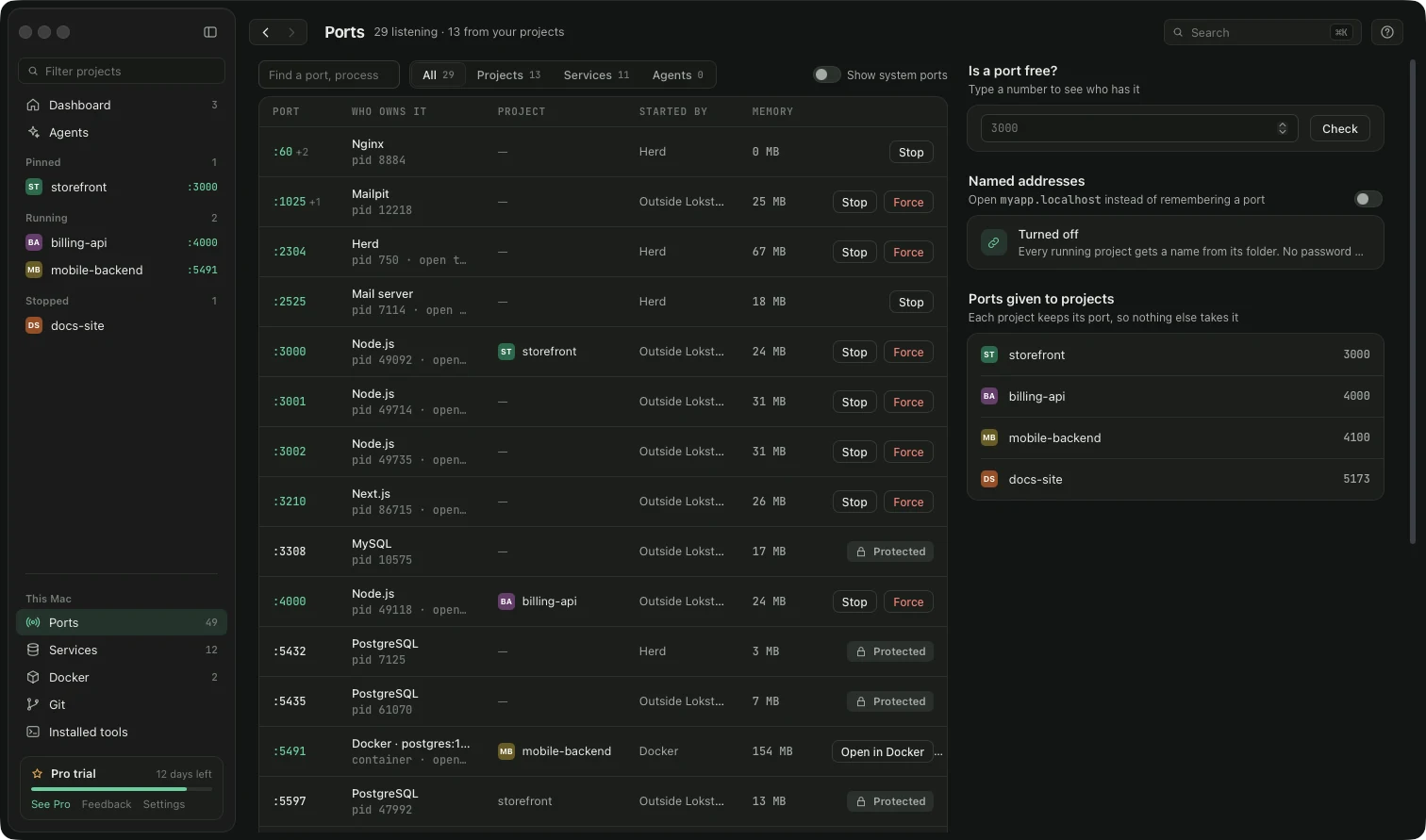
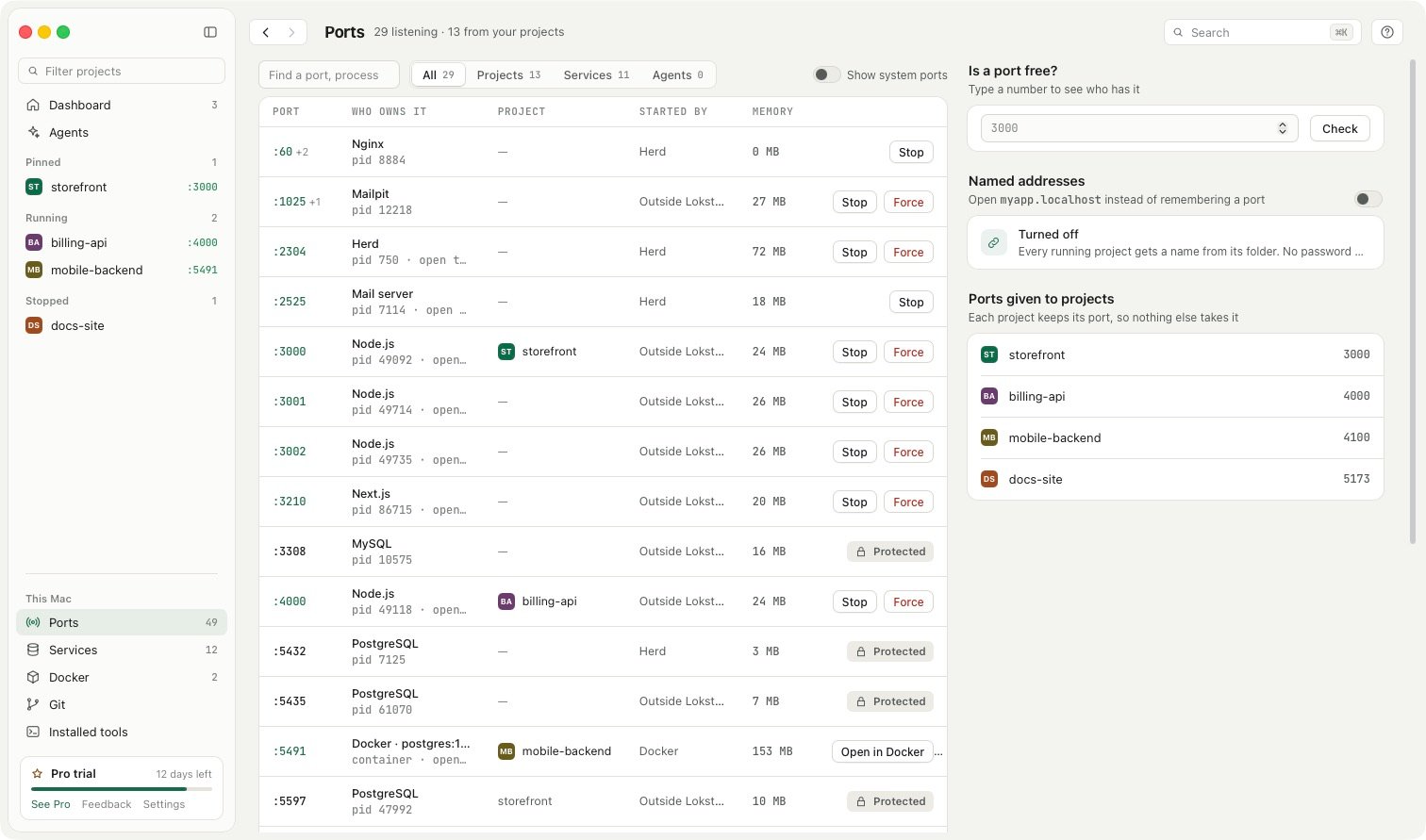
When a project will not start, its Overview says why in plain words, and a busy port is one of the reasons it checks, next to a wrong Node version, missing packages and a stopped database. If an AI tool started the server, it shows up under Left running so you can stop it in one click. Servers you started yourself in Terminal are never listed there.
All of that is free. Lokstack Pro adds lanes for AI agents (beta), which give each agent its own port so they never collide in the first place.