
 Lokstack
Docs Getting started
The Dashboard
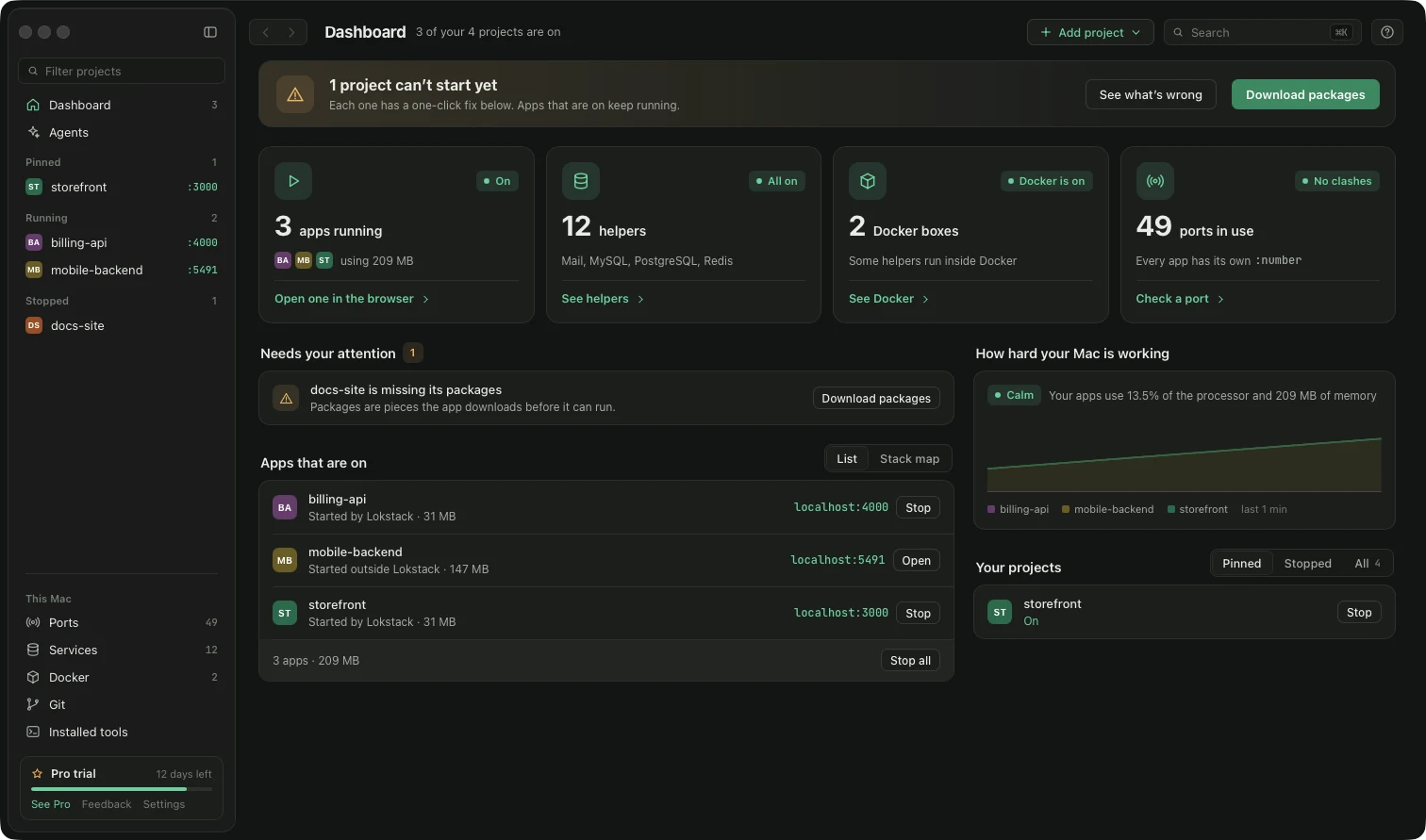
Your starting page, in the order you need it:
- A banner at the top. Green when everything is ready. Orange when some projects can not start yet; Fix all repairs them in one go and See what's wrong lets you look at each one first.
- Four counts: apps running, helpers (databases, test email), Docker boxes and ports in use. Each links to its page.
- Needs your attention: one row per problem, such as a wrong Node version or missing packages, each ending in its fix button.
- Apps that are on: every running app with its address and Stop (or Open). Switch List to Stack map for a picture of which project uses which database.
- How hard your Mac is working: processor and memory used by your apps.
- Your projects: Pinned, Stopped or All, each with Start.
- Add project (a folder, or Clone repo to download one from GitHub) at the top right.
Something unclear or missing? Tell us or write to support@lokstack.app.