
 Lokstack
Docs Projects
Overview
Click a project in the sidebar. Along the top you will see its tabs.
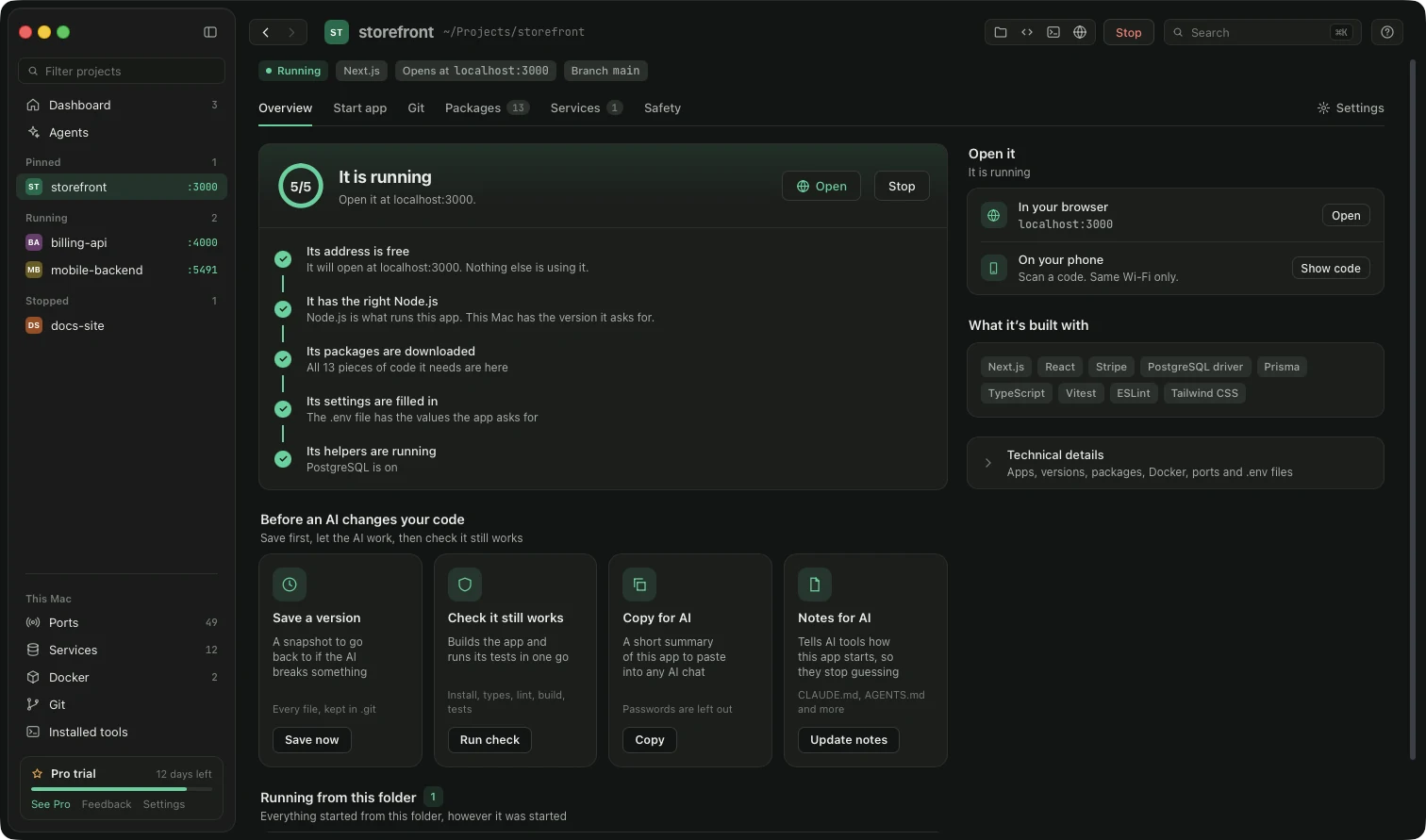
The summary of one project.
- Why it will not start (red box, only when needed): lists each problem with a button to fix it, for example Use Node 24, Install packages, Add the missing settings. Seeing the reasons is free; one-click fixes for the runtime and
.envare Pro. - Safety net for AI changes: four buttons for when an AI tool is editing your code:
- Save a version: a snapshot you can go back to.
- Check project: runs install, types, lint, build and tests.
- Copy for AI: copies a plain-text description of your project (stack, how it starts, what is wrong) to paste into any AI chat. Passwords and keys are never included.
- Notes for AI: takes you to the Safety tab.
- Try it on your phone: a QR code to open the running app on your phone (same Wi-Fi only, nothing goes on the internet).
- How it's running: every process started from this folder, however it was started. Stop asks politely; Force ends it at once.
- Technical details: apps, packages, Docker, ports and
.envfor people who want the full picture.
Something unclear or missing? Tell us or write to support@lokstack.app.