
 Lokstack
Docs Projects
Safety
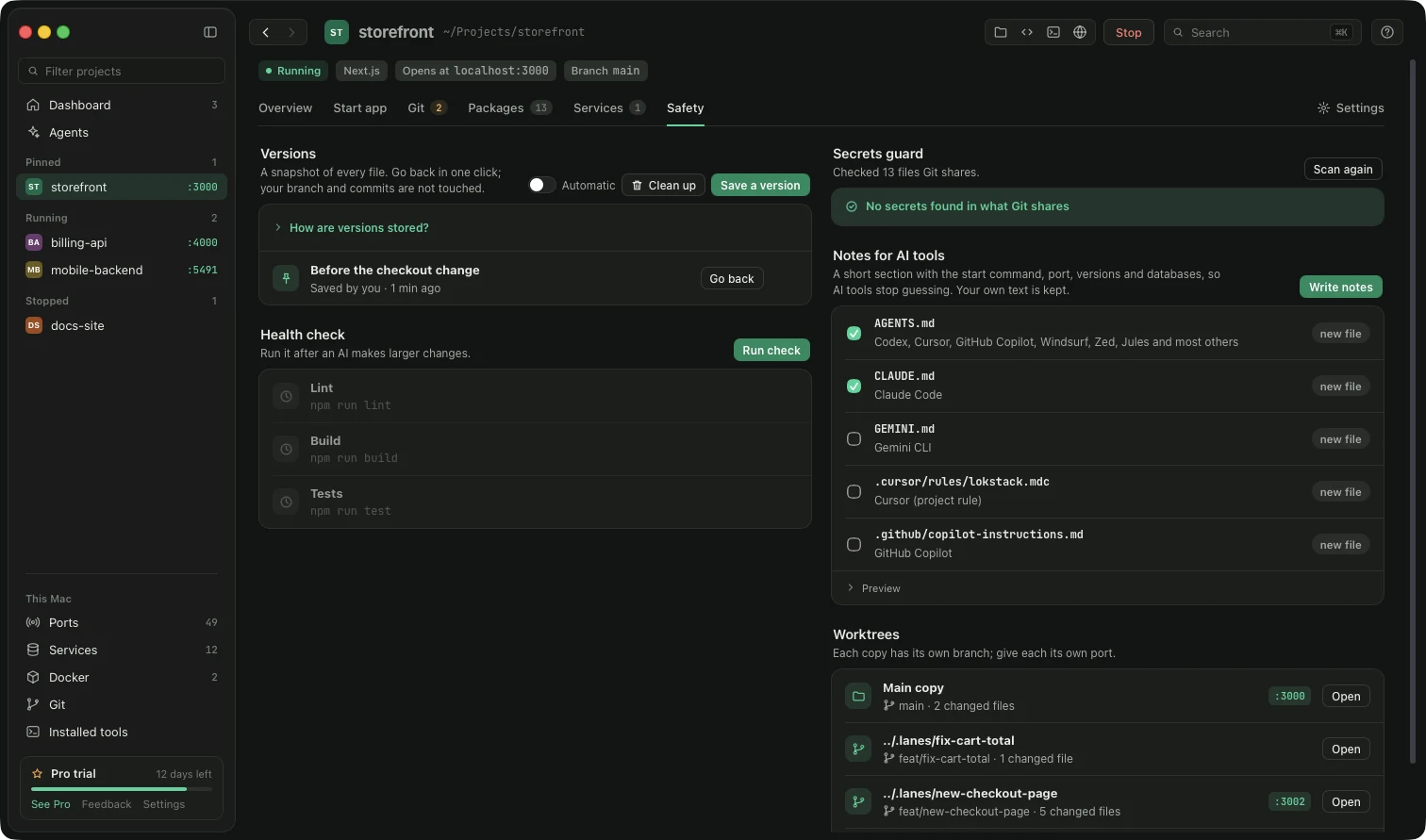
Everything that protects a project while an AI works on it, in one tab.
Versions. A version is a snapshot of every file in the project.
- Press Save a version before you ask an AI for a big change.
- If something breaks, press Go back next to the version. Lokstack saves your current state first, so going back can itself be undone.
- What changed shows exactly which files differ from a version.
- Automatic saves a version every 5 minutes while files change (Pro). Clean up deletes old versions; your files are not touched.
Versions live inside the project's own hidden .git folder. Nothing is uploaded, and your branches and commits are not affected. Files Git ignores (such as node_modules and .env) are not included.
Health check. Runs the project's own install, type, lint, build and test commands one after another and shows a result for each. If the install step fails, the steps after it are skipped. A failed step has a Copy for AI button.
Secrets guard. Checks everything Git would share for passwords, API keys and private keys. A serious finding, like a .env file already saved in Git, has a Stop tracking button. A warning, like a .env that is not in .gitignore, has Add to .gitignore.
Notes for AI tools. Writes your start command, port, versions and databases into the files AI tools read (AGENTS.md, CLAUDE.md and others), so they stop guessing. Your own text in those files is kept. Use Preview first.
Worktrees and lanes. Separate working copies for AI agents. Each has its own Git branch. Lanes (see section 10) add a port, a database copy and an address to each one.
Something unclear or missing? Tell us or write to support@lokstack.app.