
 Lokstack
Docs Projects
Run & logs
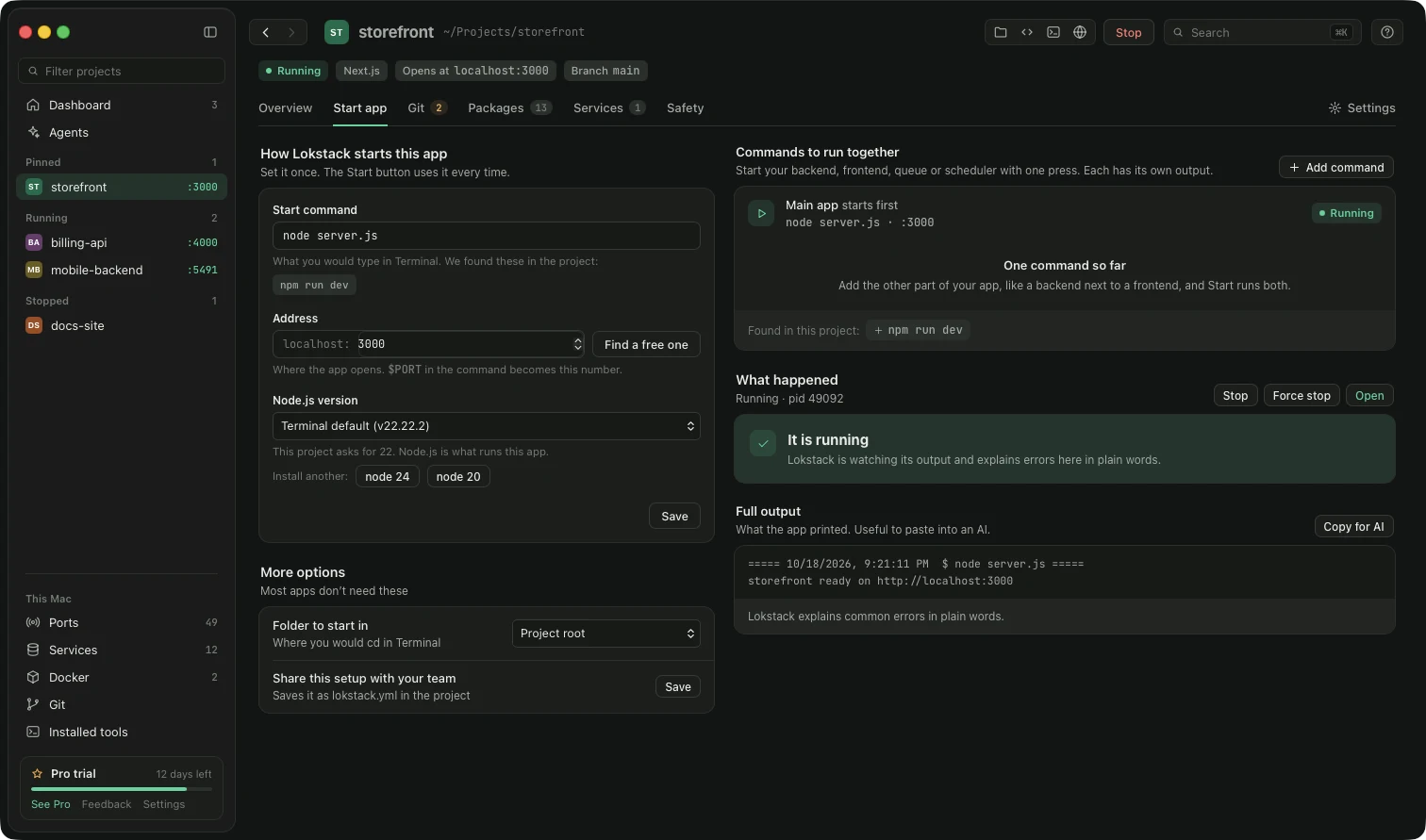
- Start command: how Lokstack starts this project, for example
npm run dev. Pick a suggestion or type your own, set a port, then Save. Lokstack remembers it for the Start button. - Node.js / PHP: choose which version this project uses (Pro). You can install another version with one button.
- Output: what the app prints while it runs. When something fails, a plain-language explanation appears with a fix button when Lokstack knows one. Stop quits the app; Force stop kills it if it is stuck.
- More commands: extra processes next to the main one, such as a queue worker (Pro).
Something unclear or missing? Tell us or write to support@lokstack.app.