
 Lokstack
Docs Projects
Git
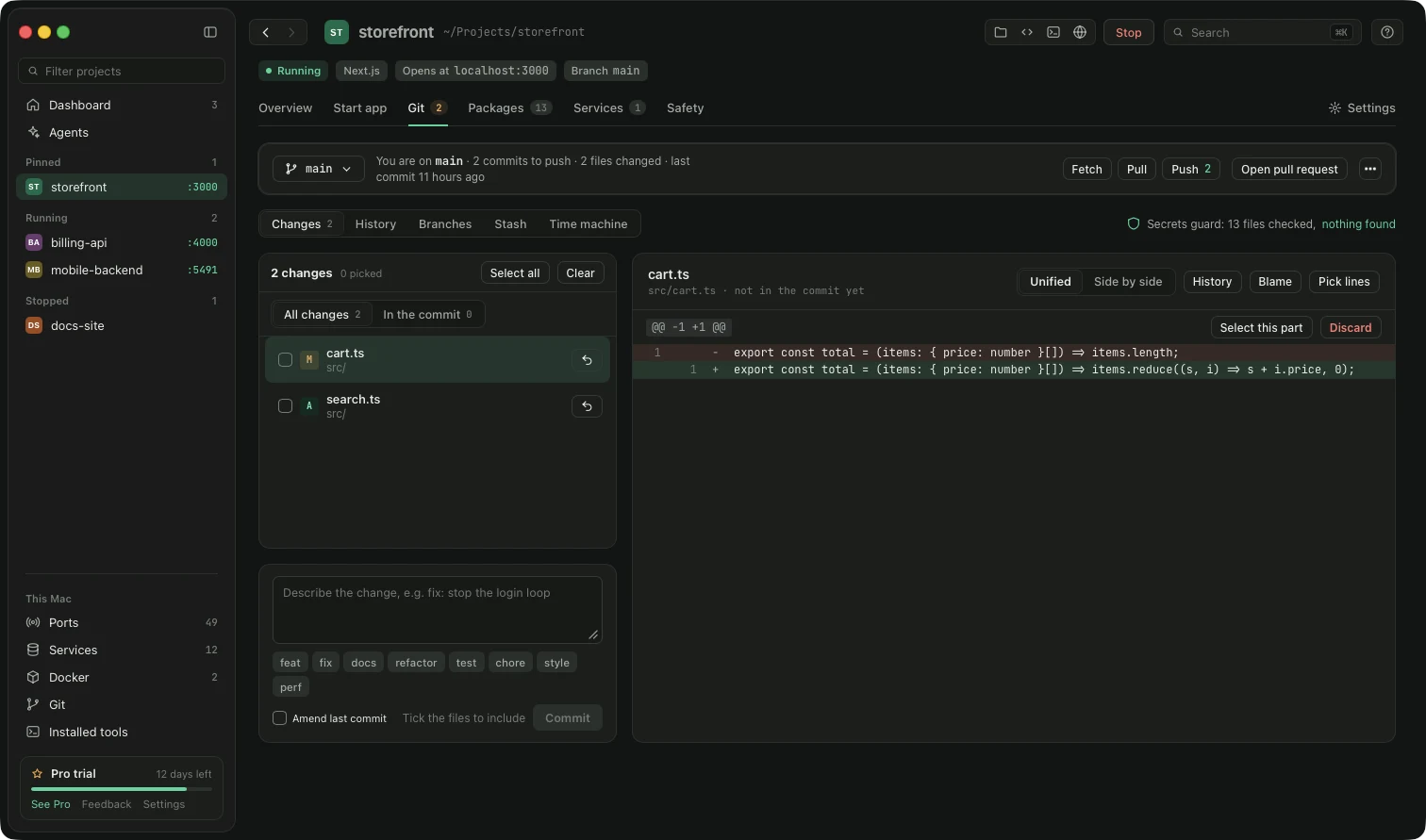
Git remembers every change to your project, like unlimited undo history. The Git tab lets you use it without typing commands.
The bar at the top shows your branch (a separate line of work; most projects keep a stable main) and these buttons:
| Button | What it does |
|---|---|
| Fetch | Checks what is new online. Changes nothing on your Mac. |
| Pull | Brings other people's new work onto your Mac. |
| Push | Sends your saved work online. |
| Open PR | Opens a pull request, which asks the team to review your branch. |
| Undo | Goes back before the last risky Git action. Press it again to switch back. |
Sub-tabs:
- Changes: files you changed. Click one to see exactly which lines changed. Tick files, write a short message, press Commit (a saved checkpoint). The small buttons
feat,fix,docs… add a standard label to your message. Lokstack warns you before a commit that contains a password or key. Discard throws away changes in a file and asks first. - History: every commit, newest first. Pro adds a Graph view, Find a bad commit and Tidy recent commits.
- Branches: switch, merge or delete branches, and add tags (named labels, usually for releases).
- Stash: puts unfinished work in a drawer so you can switch branches cleanly. Apply takes it out again.
- Time machine: Lokstack saves a safety checkpoint before every merge, rebase, discard and force-push, kept for 30 days. Restore goes back to one.
Each sub-tab has a What is this? button.
Something unclear or missing? Tell us or write to support@lokstack.app.